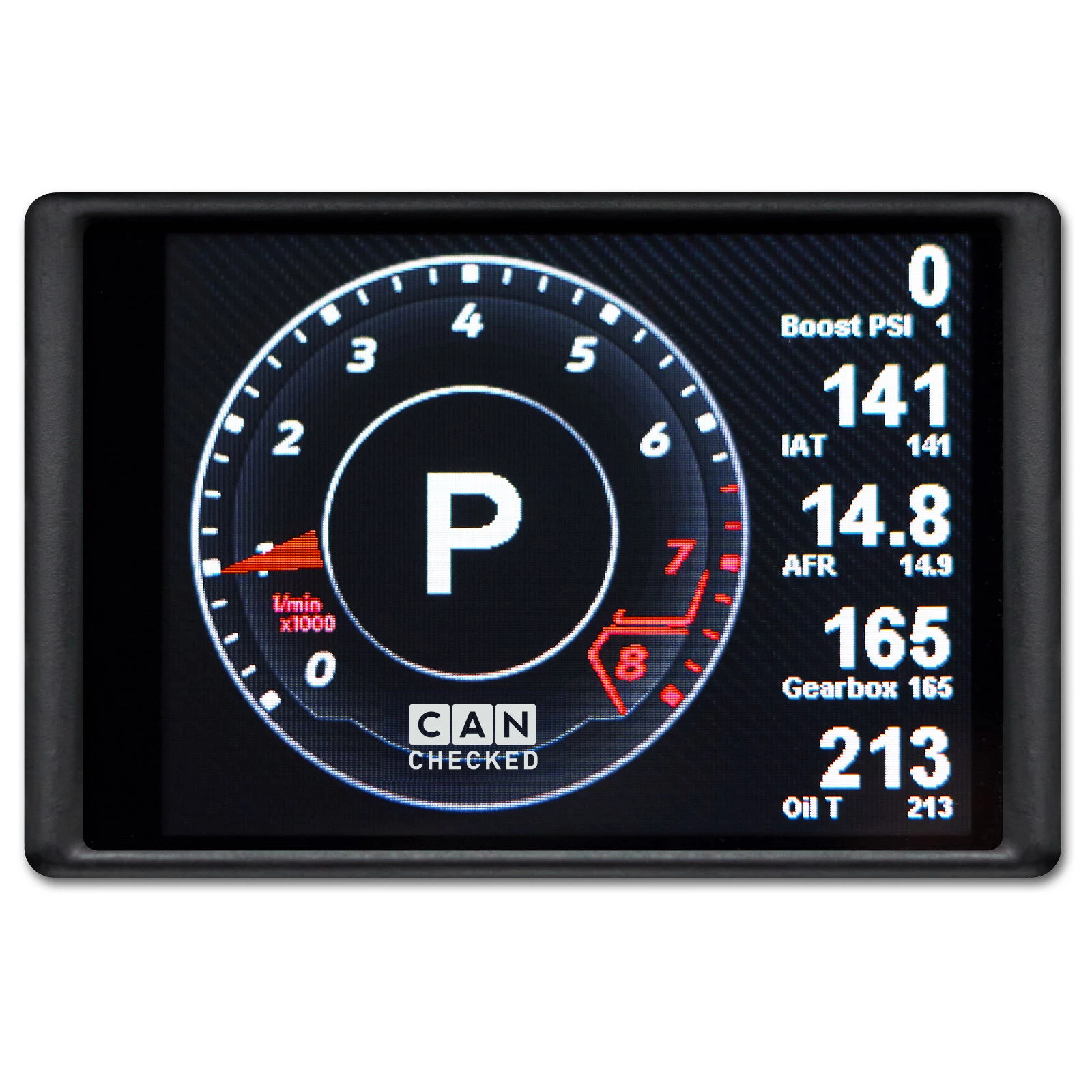
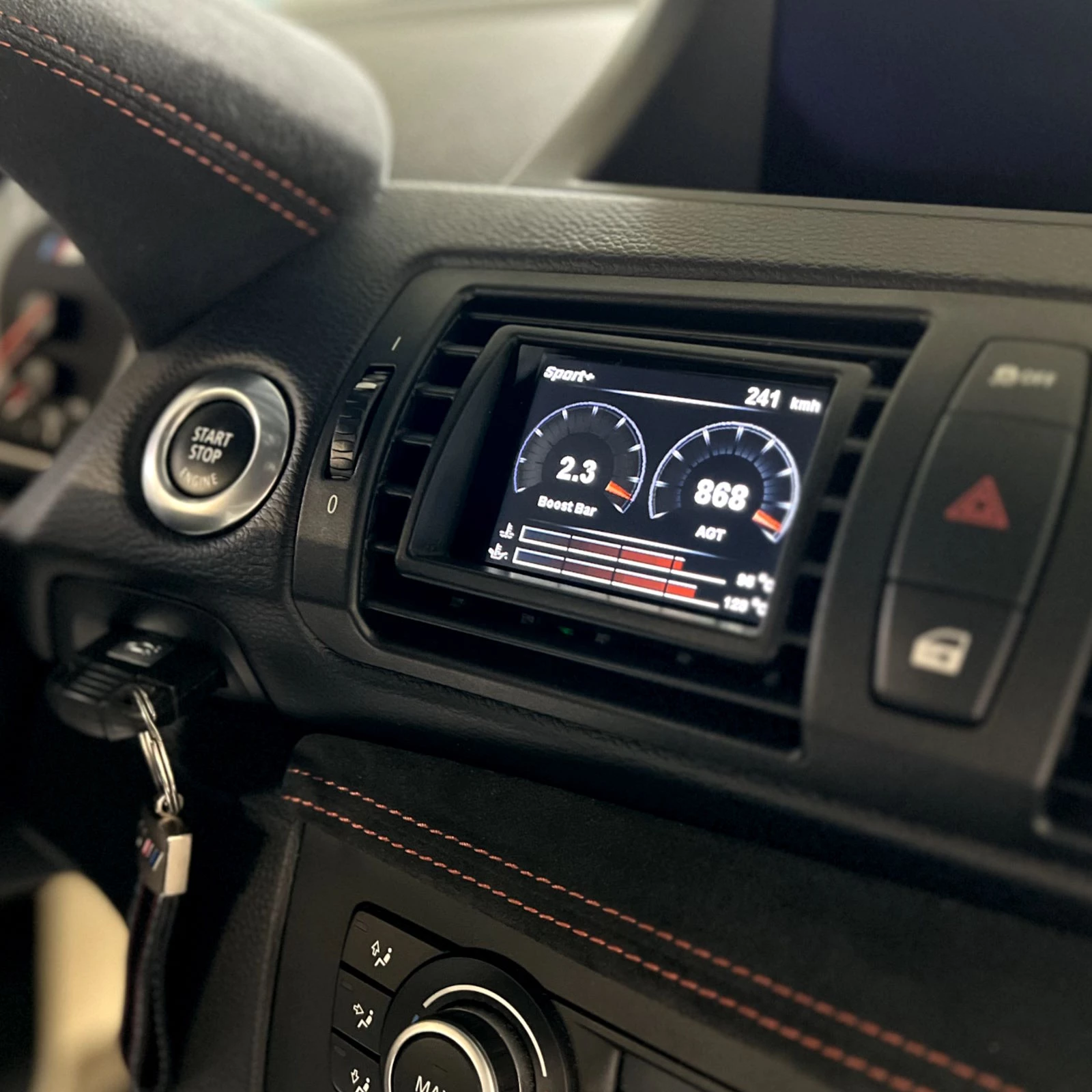
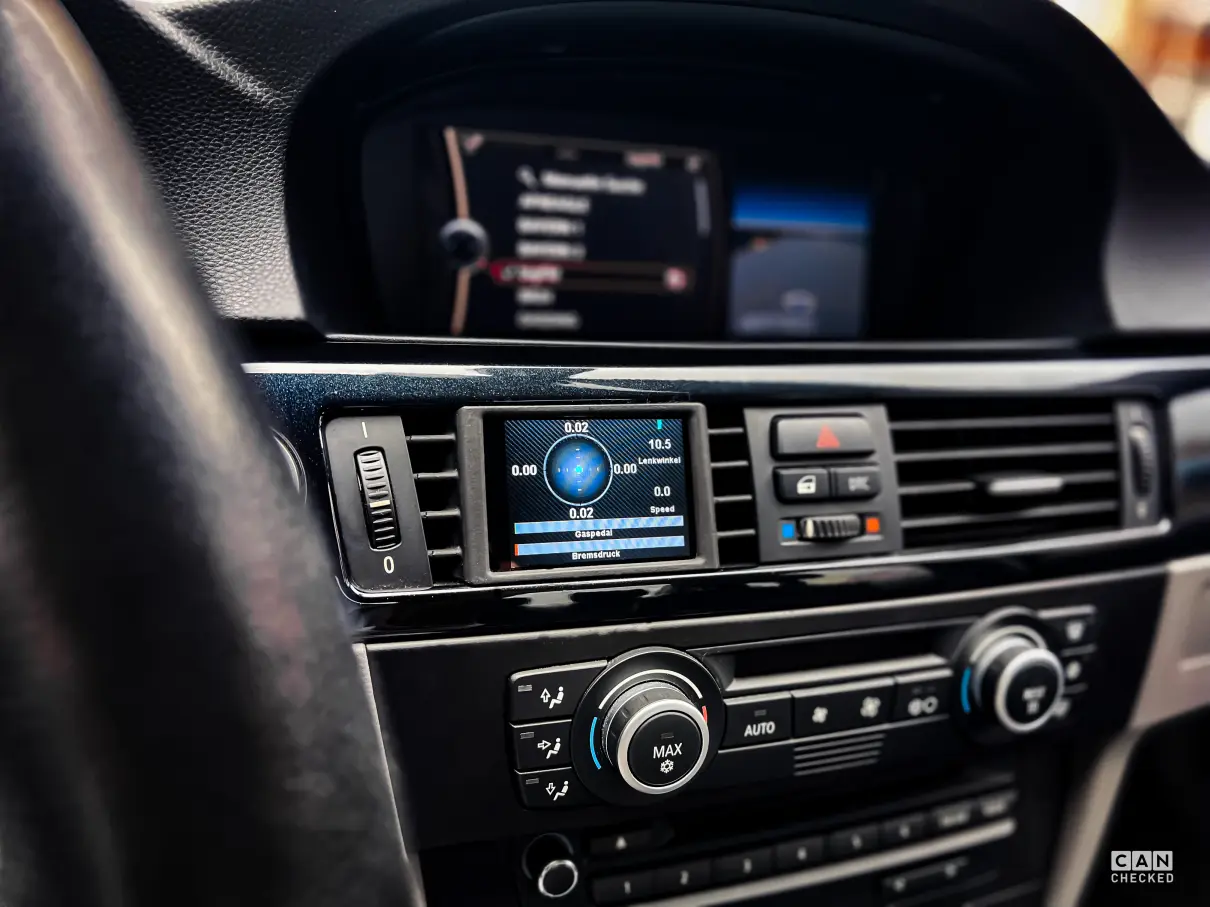
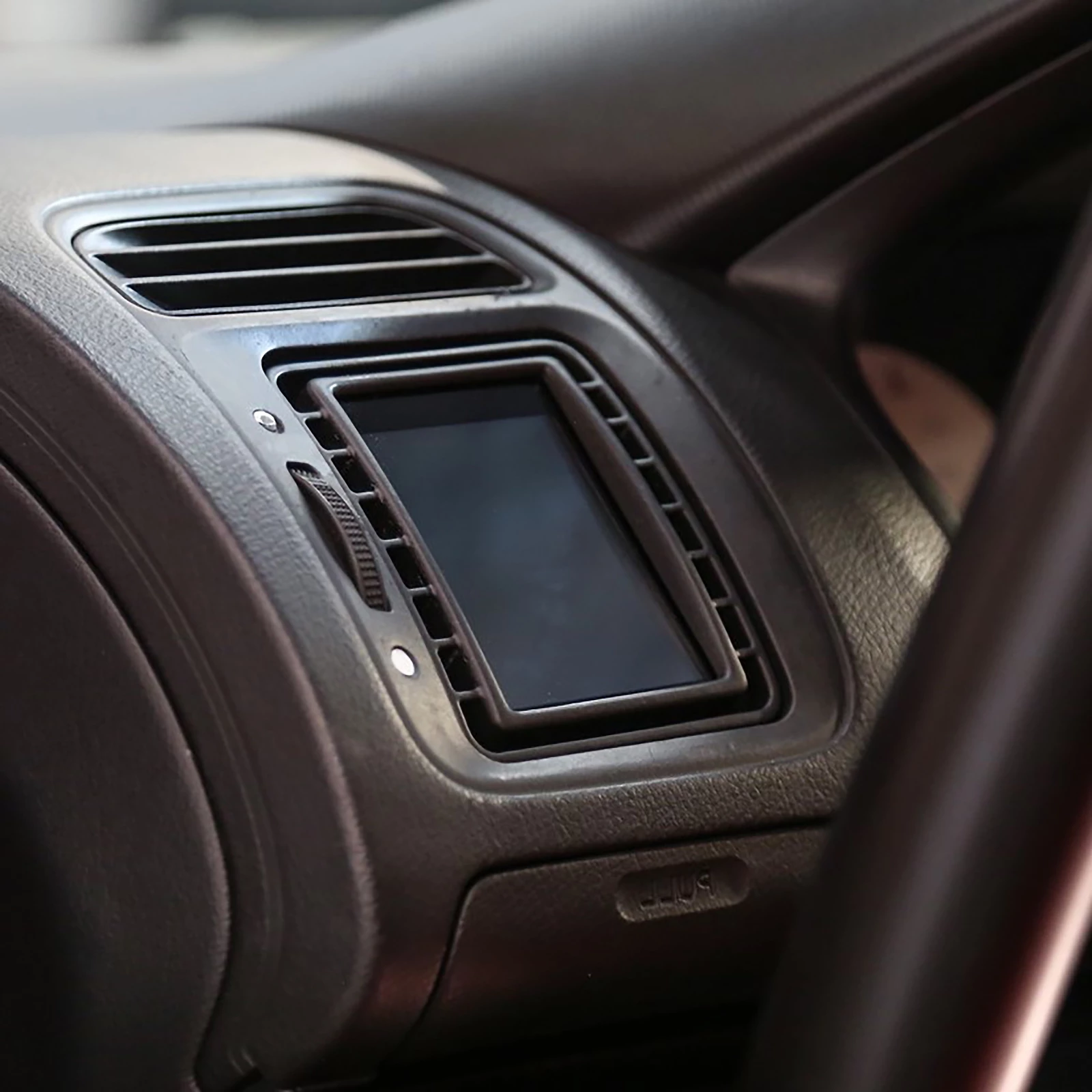
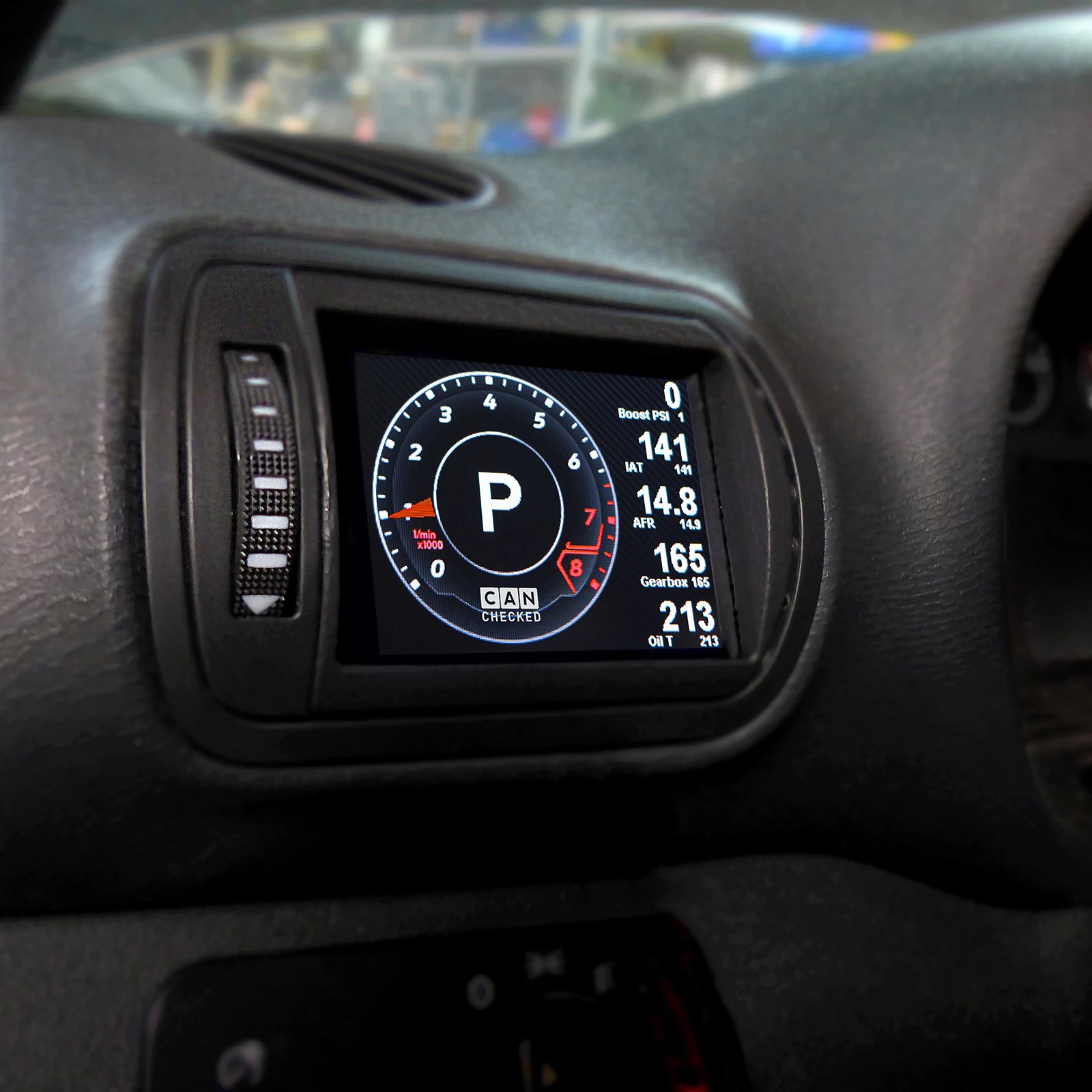
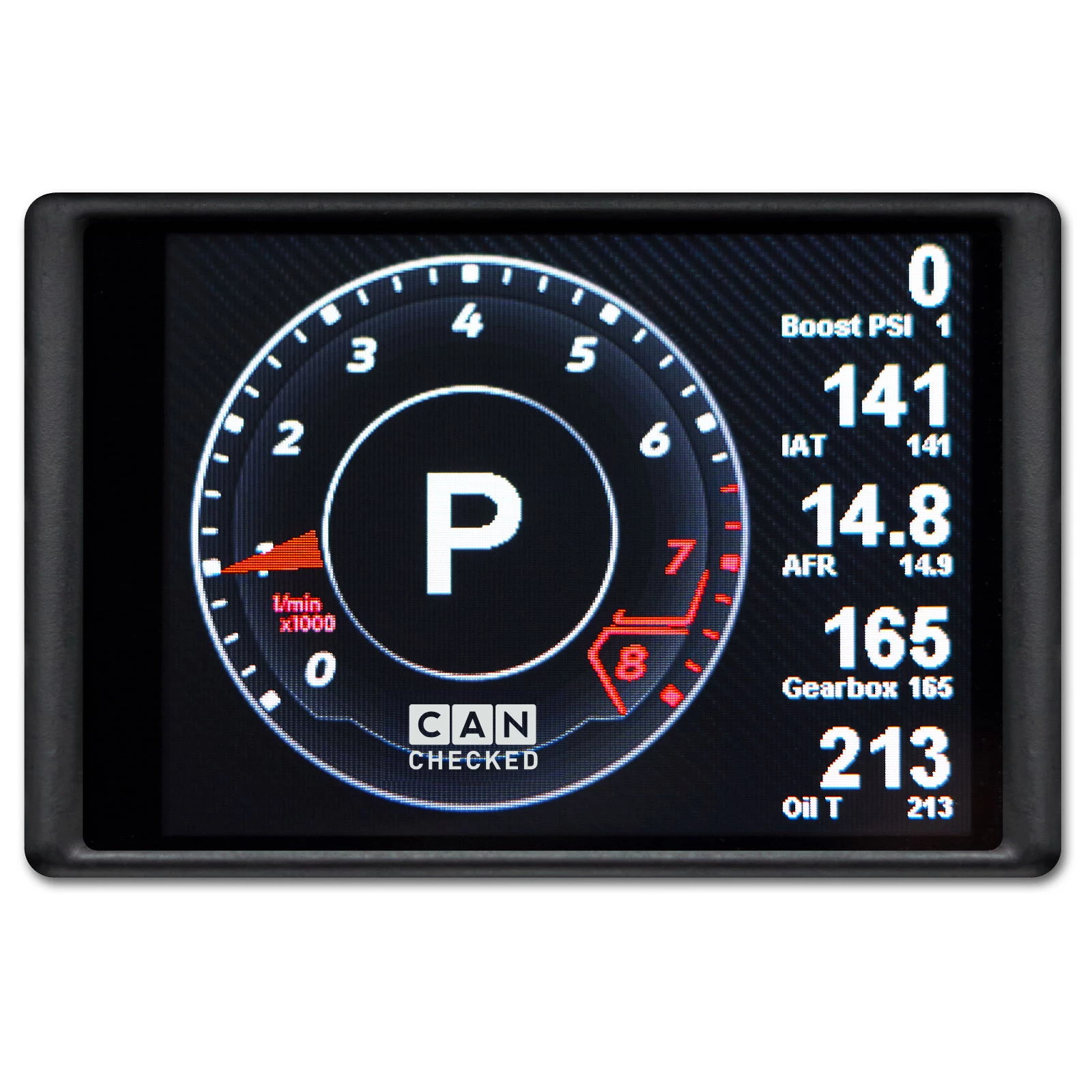
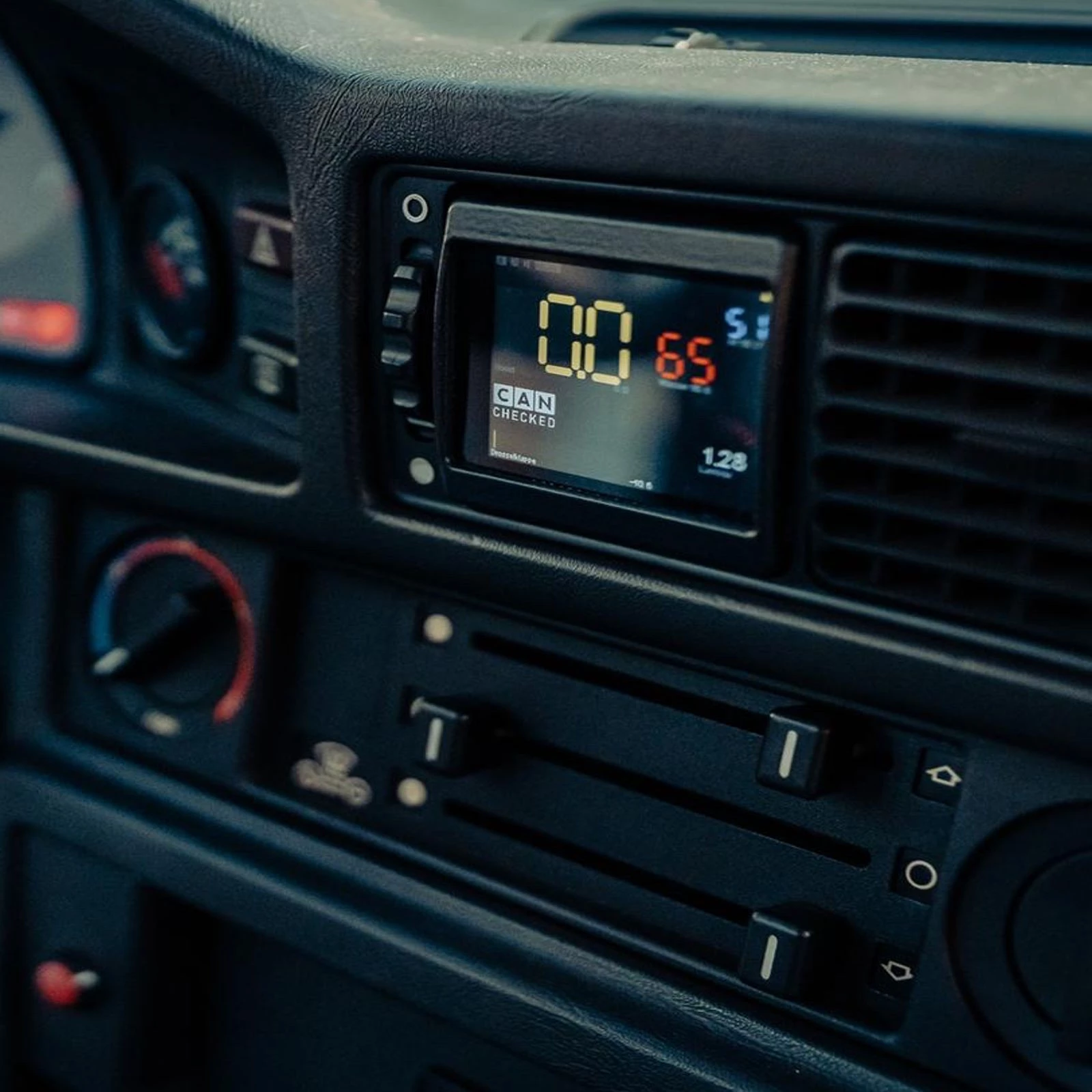
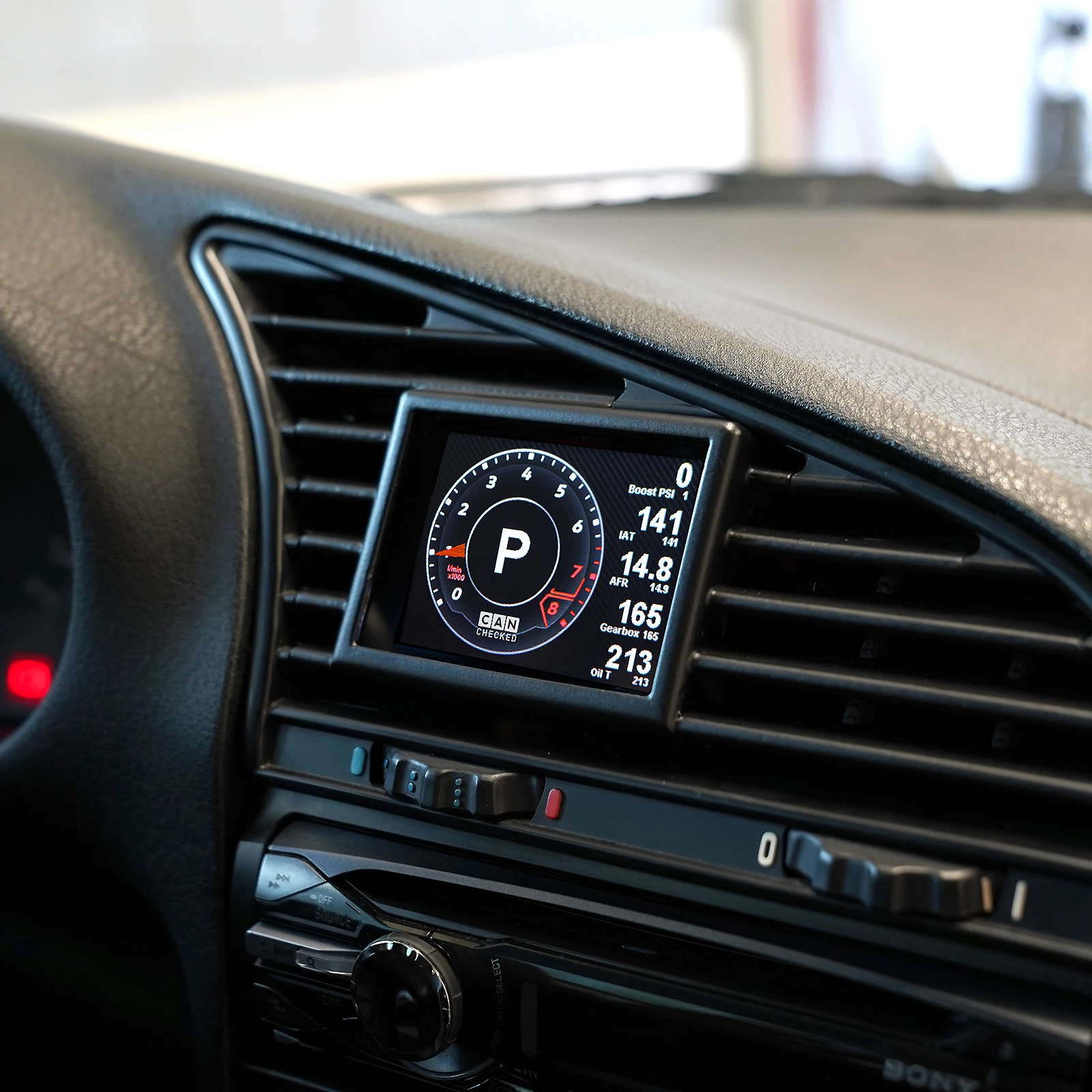
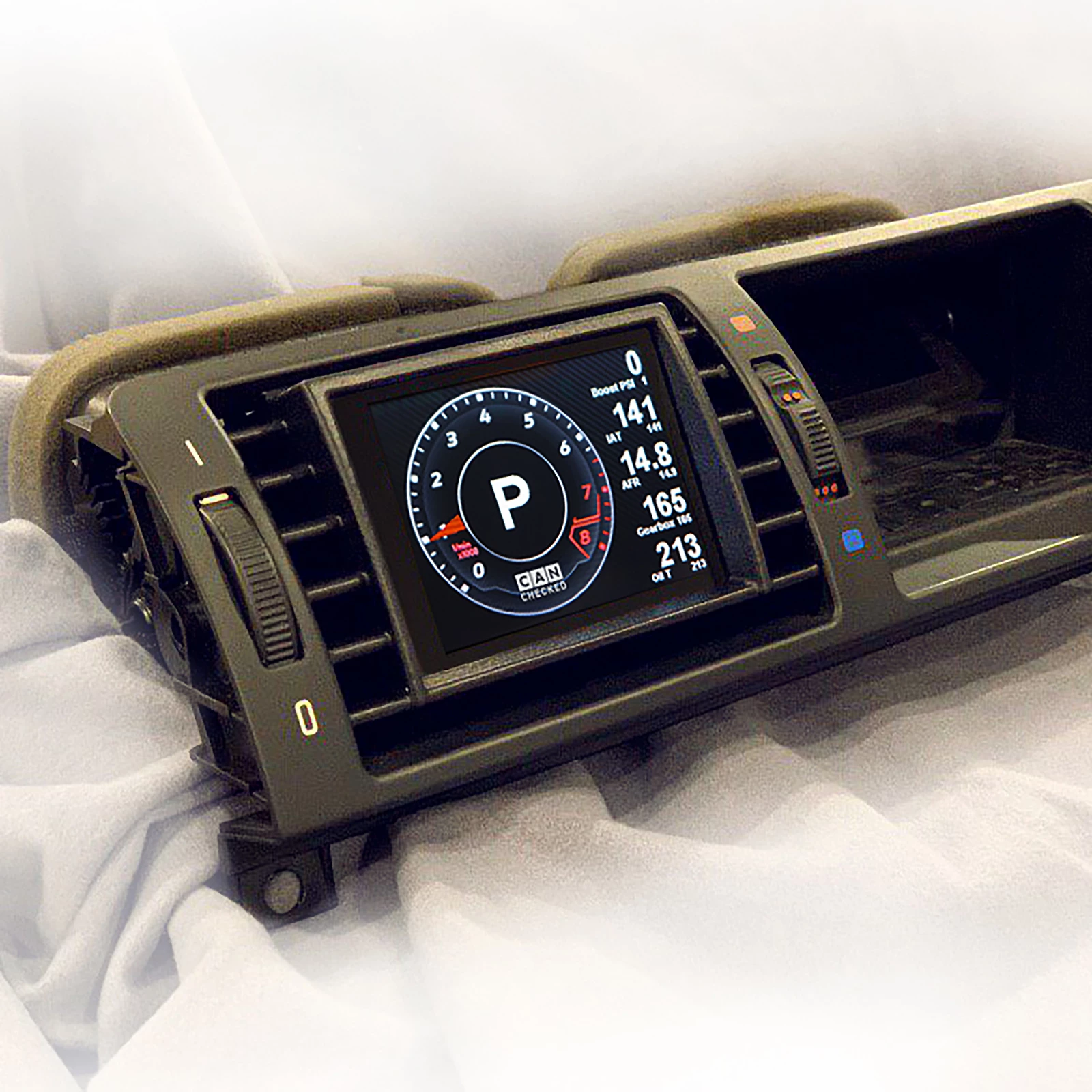
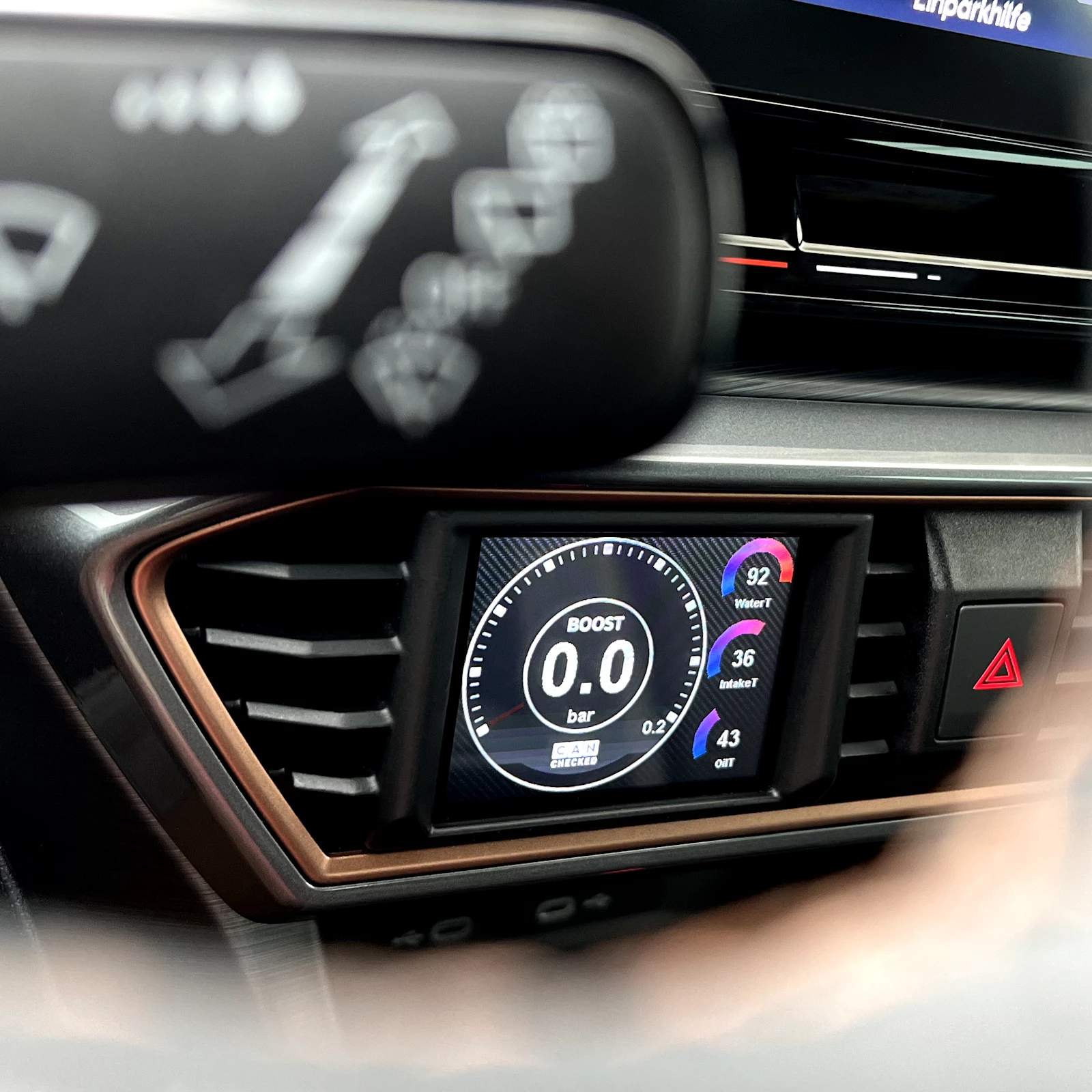
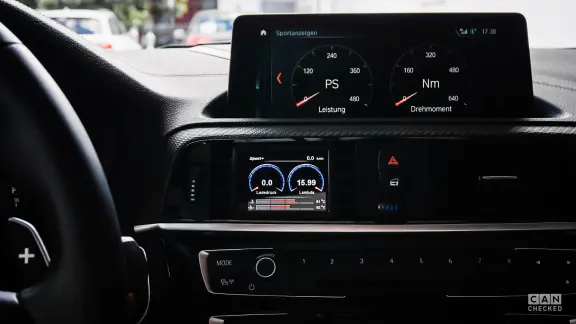
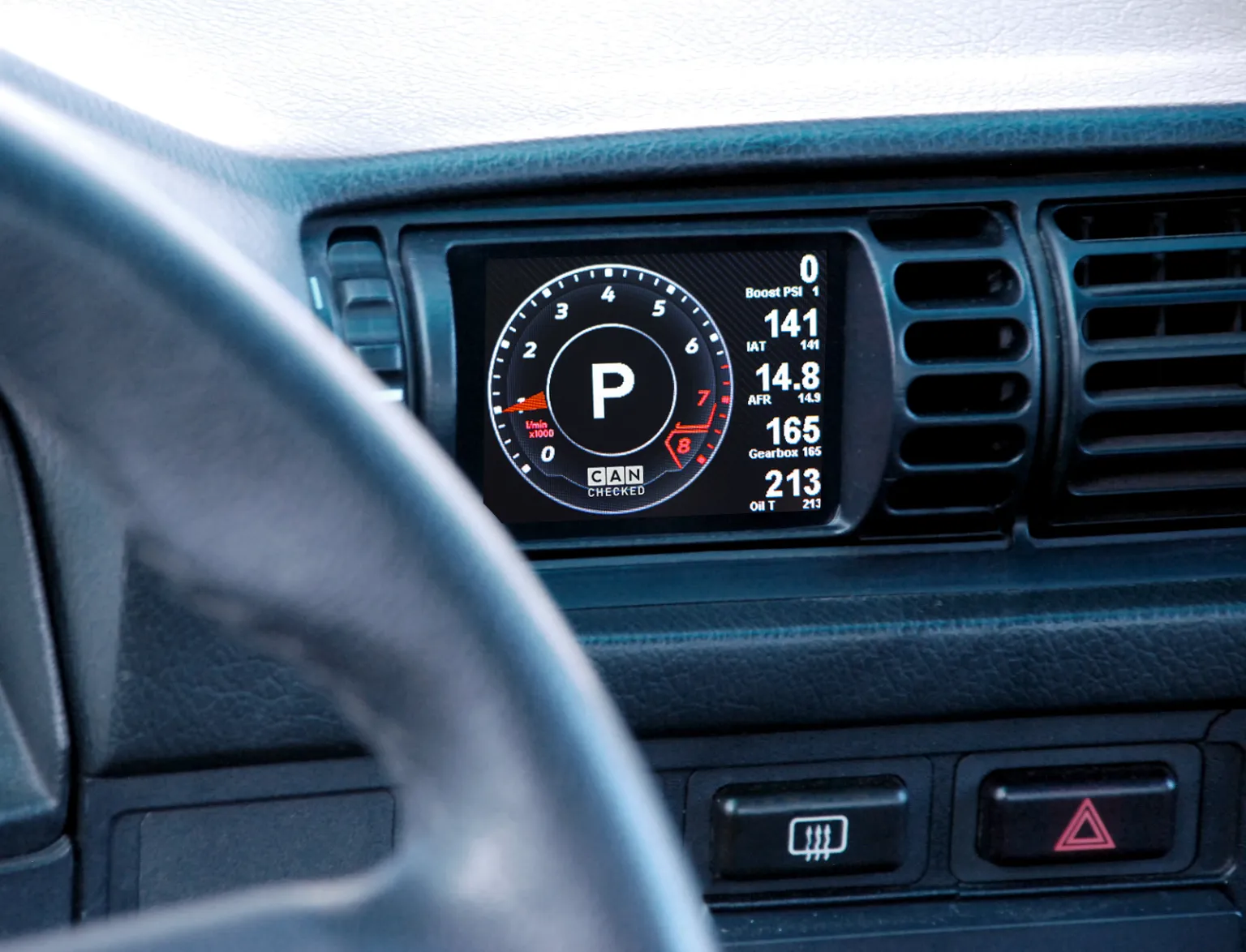
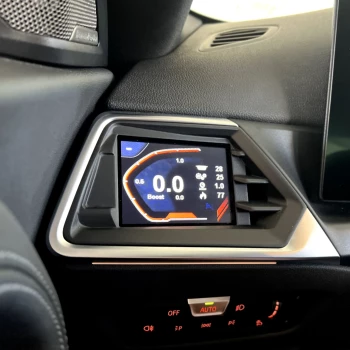
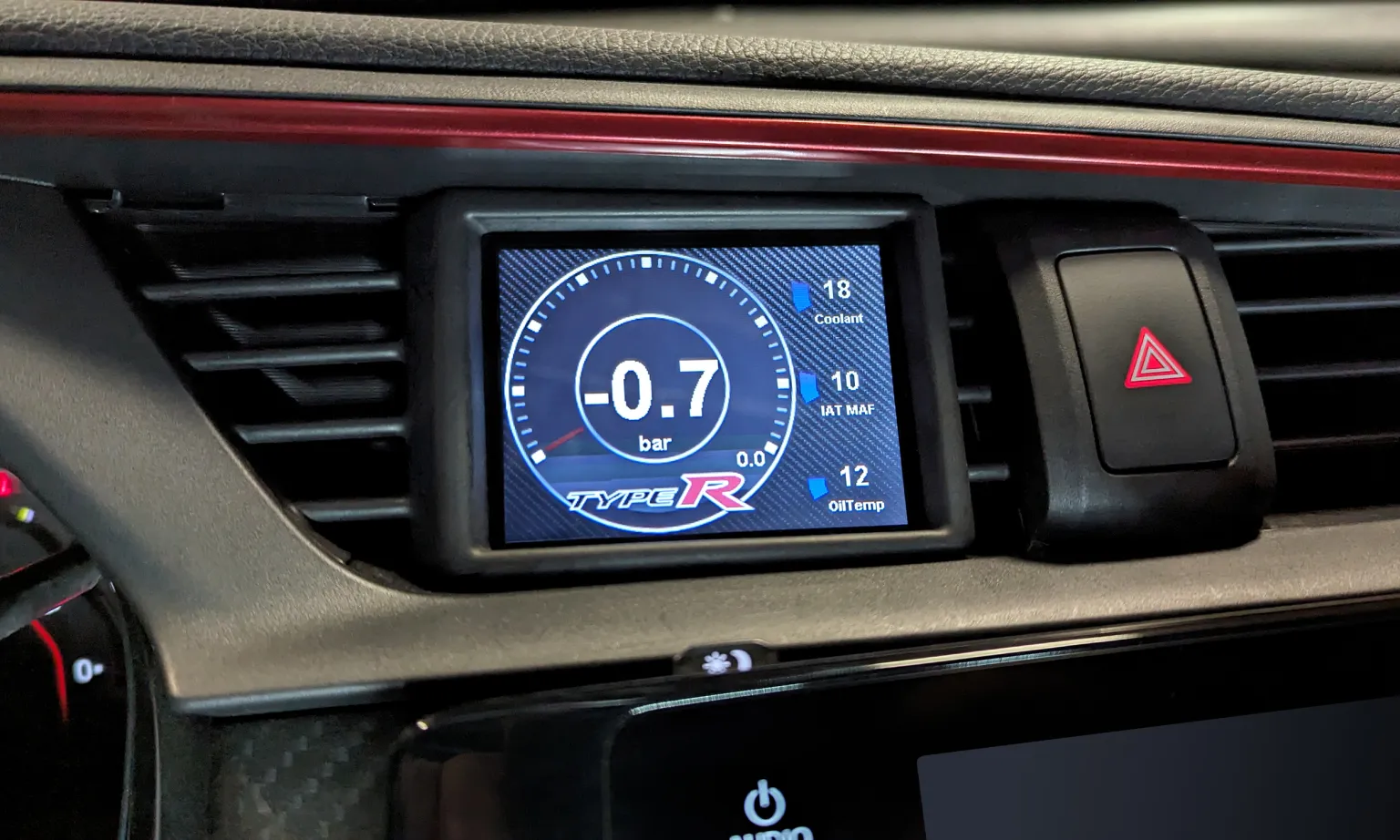
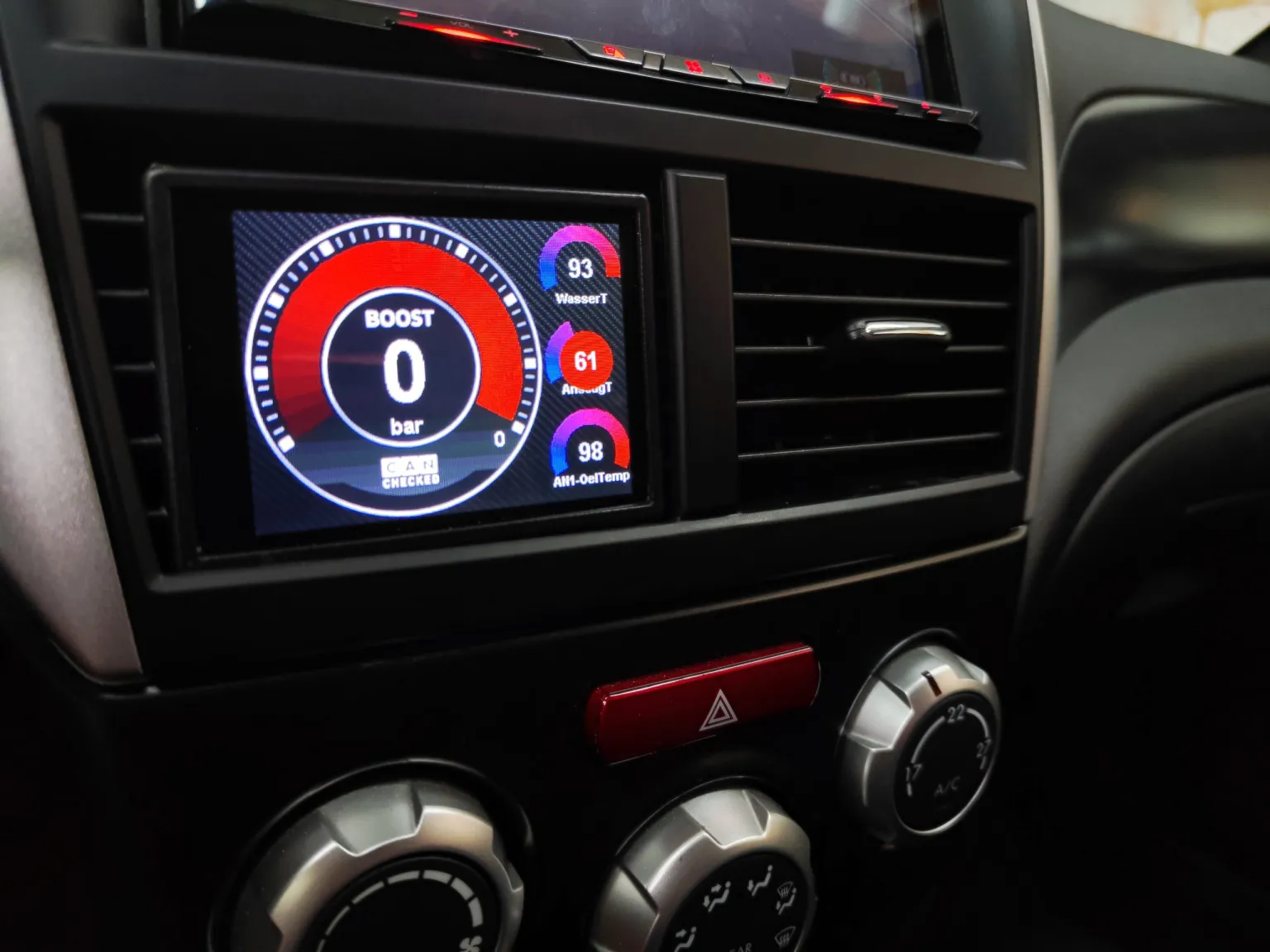
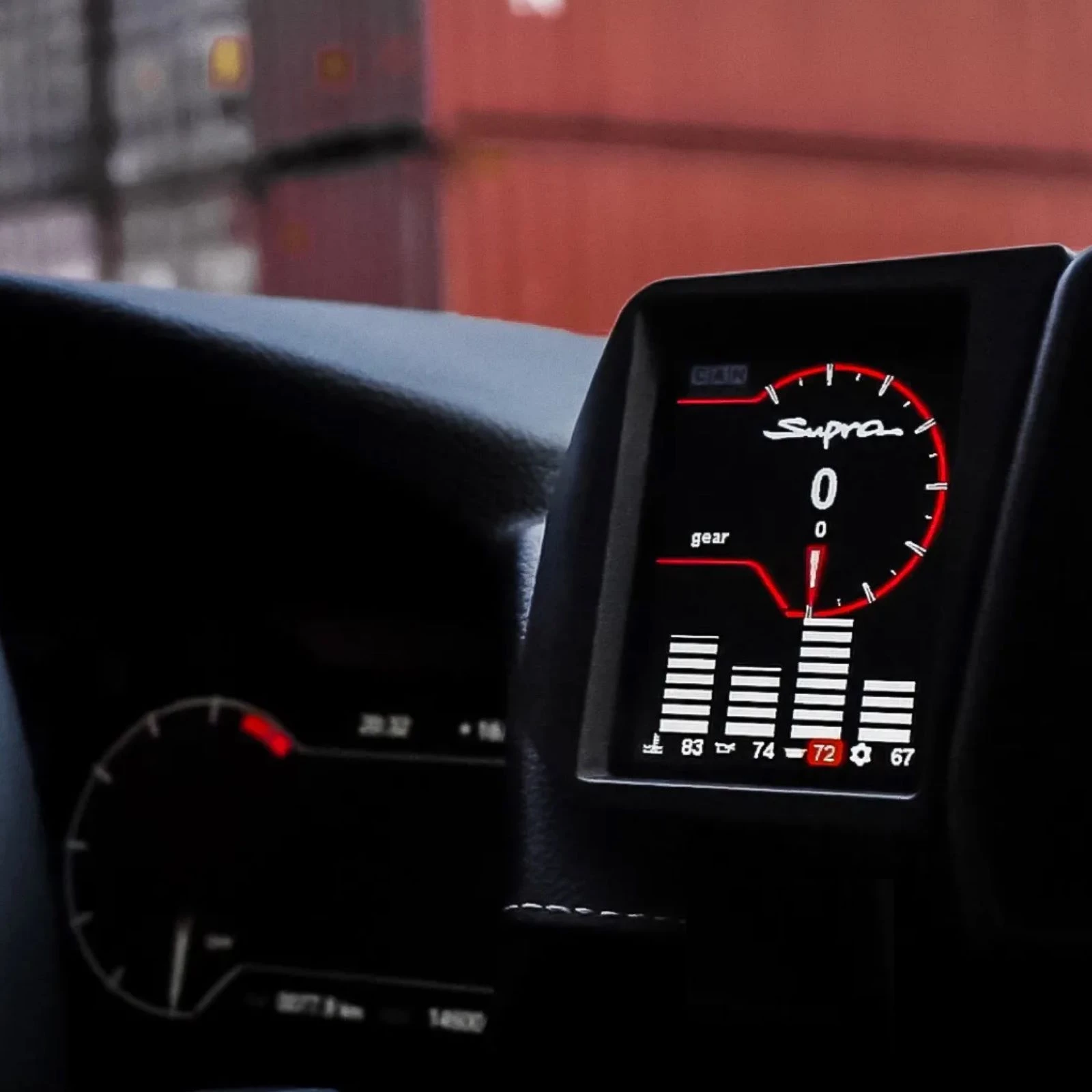
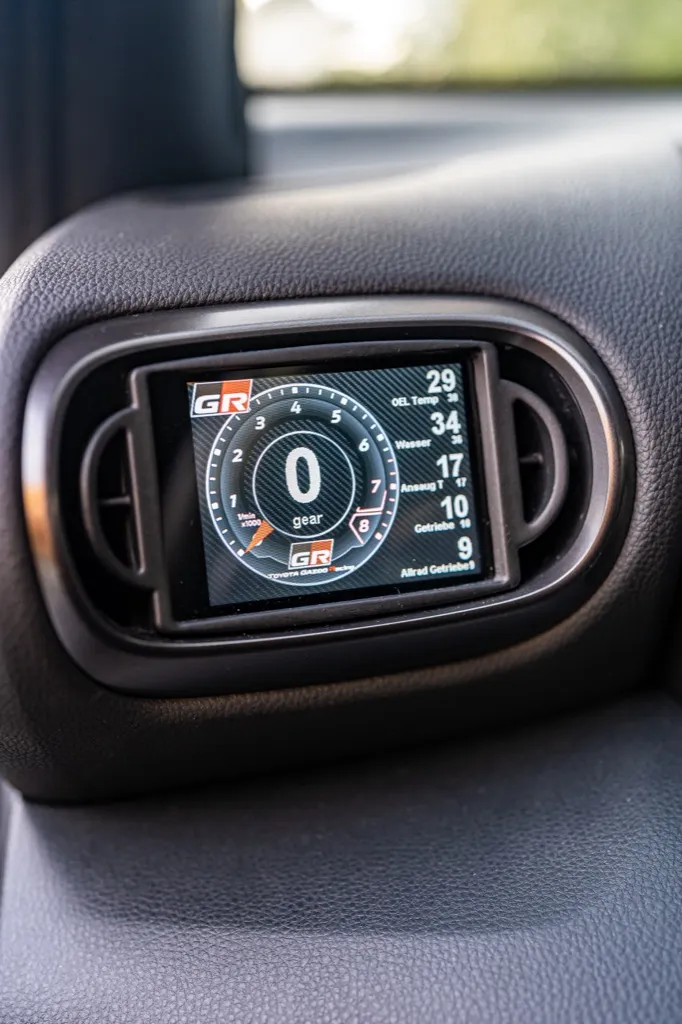
Your 5 Series is missing a data display! We present the data display for the E39 here.
Access to all data from the engine control unit:So ALL. The sensors are queried directly via CanBus and are displayed on our tried and tested MFD28. The display comes with a vehicle-specific panel and fits into the interior like an original part. The ventilation remains intact through the slots.
The sensors are interrogated by the CanBus via the manufacturer-specific protocol. We have optimised the protocol to achieve maximum polling speed.
Details:- Integrates perfectly into the vehicle interior- Up to 128 sensors can be interrogated- 10 individually configurable views with our DSS - Display Setup Software- ready-made views for a quick start with our display- simply plug and play via our cable set - plug in, done- 4 additional analogue inputs for exhaust gas temperature, oil pressure and more- Best readability - optional anti-reflective film included- Query the sensors like manufacturer diagnostic tools
Performance metre:Measure your acceleration times in our performance widget - 0-100, 100-200, 0-200
Data jogging:Log all data to the internal SD card. Whether "on-demand" (start with a tap) or permanently. All data from your last turn is saved.
Preset alarms:Preset alerts can be easily activated and customised. For example, receive a large warning message if the exhaust gas temperature is above 900 degrees.
4 additional analogue inputs:Additional temperature and/or pressure sensors can be connected for further monitoring options. e.g. exhaust gas temperature or exhaust gas back pressure. An ethanol sensor can be connected to one of the digital inputs.
Read out/delete errors:Read out errors from the engine control unit in plain text and also delete them
Customised designWhether it's the customised start screen or the selection from a variety of different widgets. Make the display your display!
Access to all data from the engine control unit:We supply your display with a ready-made TRI file as standard. All sensors that are queried are defined here.
Temperatures:Engine water temperature, intake temperature, exhaust temperature, transmission temperature
Pressures:Boost pressure, ambient pressure, oil pressure
Lambda/mixture:Lambda value target/actual, short-term lambda adjustment, long-term lambda adjustment, MAF, engine load, torque
Driver dynamics:Brake pressure, vehicle speed, throttle angle/gas pedal position
Other:Engine speed, total ignition angle, gear, battery voltage, ignition angle reduction per cylinder
Analogue inputs:Additional sensors can be added here: Oil temperature, petrol pressure, oil pressure, exhaust gas temperature, etc. but also an ethanol sensor (Flex Fuel)
If values are missing, they can easily be added.
ATTENTION: not every engine offers all values!
For which engines and models is the display:The display panel fits all E39 vehicles with M62 or S62 engines (LHD or RHD).MFD28 Technical data:- Dimensions: 70.3 x 52mm - Hardware: 2.8" TFT screen, touchscreen, MicroSD, MicroUSB- High-quality milled aluminium front frame- Symmetrical display - ideal for rotating it by 90°- Views completely freely configurable on the PC with our DSS - Display Setup Software- Up to 64 widgets per display- 64 sensors (Can Bus + internal)- 10 views- 4x analogue inputs- Optional external switching flash- Can bus switching- Can Bus protocols: UDS, KWP2000, OBD
Supported values:Many KViele customers always ask: "Which values can I query from my control unit". The answer: "ALL". Our MFD28 is compatible with ISO 11898-2 and SAE J2284.The control unit manufacturers themselves determine which values are sent via the CAN bus interface. The documentation is important here - possibly even in the form of a DBC file that can be imported directly. You can also access our extensive list of already implemented control units. This can be found in the download area. A total of up to 50 sensors can be queried if the manufacturer supports this.Broadcast data as well as OBD2 queries via Can Bus (11bit/29bit) are implemented. Special protocols such as TP2.0 from VW/Audi and UDS are also available.
DSS - Display Setup Software:With our DSS - Display Setup Software, the display can be conveniently configured on the PC. The Can Bus protocol can be customised, you can import DBC files and design the displays with your own widgets.The log viewer downloads log files from the display. These can then be viewed and values can be individually selected and scaled.An in-built Can Bus logger allows you to take a close look at the log. This can be used to reverse-engineer unknown Can Buses.
Your vehicle is missing a data display! We have - the CANchecked display in generation 2 for E81, E82, E87 and E88.
Access to all engine data:The sensors are queried directly via Can Bus and are displayed on our tried-and-tested MFD28. The display for the E-series comes with a vehicle-specific cover and fits into the interior like an original part. This means that the ventilation through the slots remains intact.
Our display emulates a manufacturer tester so that all detailed values are available. We have optimised the protocol to achieve maximum polling speed.
Details:- integrates perfectly into the vehicle interior- Up to 128 sensors can be interrogated- 10 individually configurable views with our DSS - Display Setup Software- ready-made views for a quick start with our display- simply plug and play via our cable set - plug in, done- 4 additional analogue inputs for exhaust gas temperature, oil pressure and more- Best readability - optional anti-reflective film included- Query the sensors like manufacturer diagnostic tools
Performance metre:Measure your acceleration times in our performance widget - 0-100, 100-200, 0-200
Data jogging:Log all data to the internal SD card. Whether "on-demand" (start with a tap) or permanently. All data from your last turn is saved.
Preset alarms:Preset alerts can be easily activated and customised. For example, receive a large warning message if the exhaust gas temperature is above 900 degrees.
4 additional analogue inputs:Additional temperature and/or pressure sensors can be connected for further monitoring options. e.g. exhaust gas temperature or exhaust gas back pressure. An ethanol sensor can be connected to one of the digital inputs.
Read out/delete errors:Read out errors from the engine control unit in plain text and also delete them
Customised designWhether it's the customised start screen or the selection from a variety of different widgets. Make the display your display!
Switch pages with the cruise control button:To make driving safer, we have integrated the cruise control switch here with the company Lightweight-Performance.
When cruise control is not active, you can use the up/down button to switch between the views in the display. This has the following advantages:
- No "searching" for the display while concentrating on the road ahead
- Switching even when wearing gloves (on trackdays)
- Quick and safe checking of overview pages and then returning to the main viewDriver Dynamics:We have developed a special view for all track drivers who want to further improve their driving style and become a second or two faster:- G-forces (lateral and longitudinal acceleration)- Vehicle speed- Steering angle- Accelerator pedal position- Brake pressure
This sensor system gives the driver the opportunity to aim for even higher speeds in bends and to hit the braking point even later.
Together with the data log in the internal memory, which can be downloaded from the display after a track day, this offers a great opportunity to synchronise the data with a video.
Access to all data from the engine control unit:We supply your display with a ready-made TRI file as standard. All sensors that are queried are defined here.
Temperatures:
Engine water temperature, oil temperature, intake temperature, exhaust temperature, transmission temperature
Pressures:
Boost pressure, boost pressure target, fuel pressure high pressure pump, exhaust back pressure, low pressure, brake pressure, oil pressure
Lambda/mixture:
Lambda value target/actual, injection correction, short-term lambda adjustment, total ignition angle
Other data:
RPM, air mass (g/s), vehicle speed, throttle valve angle, battery voltage, gear, accelerator pedal position, longitudinal and lateral acceleration, steering angle, yaw angle, torque, power, boost pressure control valve activation
If values are missing, they can easily be added. It always depends on the engine whether it supports the values, sometimes not all sensors are available.Attention: Not all values are available for all engines!
For which engines and models is the display for E81 E82 E87 E88:The display bezel fits the following 1 Series E vehicles:- N54- N55- N43- other engines on request
The respective version for RHD (right-hand drive) is also available. The data may vary between the different engines.
Read out and delete errors:Swipe down to access the "DTC" (Diagnostic Trouble Codes = fault memory). The display reads the fault memory from the engine. Optionally, you can also delete these directly on the display.
Errors for the engine are displayed in plain text so that you can decide for yourself whether you can continue driving.MFD28 Technical data:- Dimensions: 70.3 x 52mm - Hardware: 2.8" TFT screen, touchscreen, MicroSD, MicroUSB- High-quality milled aluminium front frame- Symmetrical display - ideal for rotating it by 90°- Views completely freely configurable on the PC with our DSS - Display Setup Software- Up to 64 widgets per display- 64 sensors (Can Bus + internal)- 10 views- 4x analogue inputs- Optional external switching flash- Can bus switching- Can Bus protocols: UDS, KWP2000, OBD
Supported values:Many customers always ask: "Which values can I query from my control unit? The answer: "ALL". Our MFD28 is compatible with ISO 11898-2 and SAE J2284.The control unit manufacturers themselves determine which values are sent via the CAN bus interface. The documentation is important here - possibly even in the form of a DBC file that can be imported directly. You can also access our extensive list of already implemented control units. This can be found in the download area. A total of up to 50 sensors can be queried if the manufacturer supports this.Broadcast data as well as OBD2 queries via Can Bus (11bit/29bit) are implemented. Special protocols such as TP2.0 from VW/Audi and UDS are also available.
DSS - Display Setup Software:With our DSS - Display Setup Software, the display can be conveniently configured on the PC. The Can Bus protocol can be customised, you can import DBC files and design the displays with your own widgets.The log viewer downloads log files from the display. These can then be viewed and values can be individually selected and scaled.An in-built Can Bus logger allows you to take a close look at the log. This can be used to reverse-engineer unknown Can Buses.
Your vehicle is missing a data display! We have - the CANchecked display for E90, E91, E92 and E93 models.Access to all engine data:The sensors are queried directly via Can Bus and are displayed on our tried-and-tested MFD28. The display for the E-series comes with a vehicle-specific cover and fits into the interior like an original part. This means that the ventilation through the slots remains intact.
Our display emulates a manufacturer tester so that all detailed values are available. We have optimised the protocol to achieve maximum polling speed.
Details:- integrates perfectly into the vehicle interior- Up to 128 sensors can be interrogated- 10 individually configurable views with our DSS - Display Setup Software- ready-made views for a quick start with our display- simply plug and play via our cable set - plug in, done- 4 additional analogue inputs for exhaust gas temperature, oil pressure and more- Best readability - optional anti-reflective film included- Query the sensors like manufacturer diagnostic tools
Performance metre:Measure your acceleration times in our performance widget - 0-100, 100-200, 0-200
Data jogging:Log all data to the internal SD card. Whether "on-demand" (start with a tap) or permanently. All data from your last turn is saved.
Preset alarms:Preset alerts can be easily activated and customised. For example, receive a large warning message if the exhaust gas temperature is above 900 degrees.
4 additional analogue inputs:Additional temperature and/or pressure sensors can be connected for further monitoring options. e.g. exhaust gas temperature or exhaust gas back pressure. An ethanol sensor can be connected to one of the digital inputs.
Read out/delete errors:Read out errors from the engine control unit in plain text and also delete them
Customised designWhether it's the customised start screen or the selection from a variety of different widgets. Make the display your display!
Switch pages with the cruise control button:To make driving safer, we have integrated the cruise control switch here with the company Lightweight-Performance.
When cruise control is not active, you can use the up/down button to switch between the views in the display. This has the following advantages:- No "searching" for the display while concentrating on the road ahead- Switching even when wearing gloves (on trackdays)- Quick and safe checking of overview pages and then returning to the main viewDriver Dynamics:We have developed a special view for all track drivers who want to further improve their driving style and become a second or two faster:- G-forces (lateral and longitudinal acceleration)- Vehicle speed- Steering angle- Accelerator pedal position- Brake pressure
This sensor system gives the driver the opportunity to aim for even higher speeds in bends and to hit the braking point even later.
Together with the data log in the internal memory, which can be downloaded from the display after a track day, this offers a great opportunity to synchronise the data with a video.
Access to all data from the engine control unit:We supply your display with a ready-made TRI file as standard. All sensors that are queried are defined here.
Temperatures:Engine water temperature, oil temperature, intake temperature, exhaust temperature, transmission temperature
Pressures:Boost pressure, boost pressure target, fuel pressure high pressure pump, exhaust back pressure, low pressure, brake pressure, oil pressure
Lambda/mixture:Lambda value target/actual, injection correction, short-term lambda adjustment, total ignition angle
Other data:RPM, air mass (g/s), vehicle speed, throttle valve angle, battery voltage, gear, accelerator pedal position, longitudinal and lateral acceleration, steering angle, yaw angle, torque, power, boost pressure control valve activation
If values are missing, they can easily be added. It always depends on the engine whether it supports the values, sometimes not all sensors are available.
Attention: Not all values are available for all engines!
For which engines and models is the display for E90 E91 E92 E93:The display bezel is suitable for the following 3 Series E vehicles:- N54- N55- S65- Other engines on request
The respective version for RHD (right-hand drive) is also available. The data may vary between the different engines.
Read out and delete errors:Swipe down to access the "DTC" (Diagnostic Trouble Codes = fault memory). The display reads the fault memory from the engine. Optionally, you can also delete these directly on the display.
Errors for the engine are displayed in plain text so that you can decide for yourself whether you can continue driving.
MFD28 Technical data:- Dimensions: 70.3 x 52mm - Hardware: 2.8" TFT screen, touchscreen, MicroSD, MicroUSB- High-quality milled aluminium front frame- Symmetrical display - ideal for rotating it by 90°- Views completely freely configurable on the PC with our DSS - Display Setup Software- Up to 64 widgets per display- 64 sensors (Can Bus + internal)- 10 views- 4x analogue inputs- Optional external switching flash- Can bus switching- Can Bus protocols: UDS, KWP2000, OBD
Supported values:Many customers always ask: "Which values can I query from my control unit? The answer: "ALL". Our MFD28 is compatible with ISO 11898-2 and SAE J2284.The control unit manufacturers themselves determine which values are sent via the CAN bus interface. The documentation is important here - possibly even in the form of a DBC file that can be imported directly. You can also access our extensive list of already implemented control units. This can be found in the download area. A total of up to 50 sensors can be queried if the manufacturer supports this.Broadcast data as well as OBD2 queries via Can Bus (11bit/29bit) are implemented. Special protocols such as TP2.0 from VW/Audi and UDS are also available.
DSS - Display Setup Software:With our DSS - Display Setup Software, the display can be conveniently configured on the PC. The Can Bus protocol can be customised, you can import DBC files and design the displays with your own widgets.The log viewer downloads log files from the display. These can then be viewed and values can be individually selected and scaled.An in-built Can Bus logger allows you to take a close look at the log. This can be used to reverse-engineer unknown Can Buses.
The CANchecked MFD28 Gen.2 for the Honda Civic Mk7 (EP3).
Access to all engine data:The sensors are queried directly via Can Bus and are displayed on our tried and tested MFD28. The display for the Honda Civic Mk78 Type R comes with a vehicle-specific cover and fits into the interior like an original part. This means that the ventilation remains intact through the slots.
Our display emulates a manufacturer's tester so that all detailed values are available. We have optimised the protocol to achieve maximum polling speed.
Details:
- Haldex control for GEN1 and GEN2 Haldex
- 2.8-inch capacitive touch display incl. vehicle-specific installation frame for ventilation panel
- Integrated shift light function
- Connection via Can-Bus and serial interface
- CAN bus values can be displayed
- 2 digital and 4 analogue inputs for 0 - 5V sensors (e.g. oil pressure, fuel pressure, exhaust gas temperature (with type K converter) and boost pressure)
- 8GB SD card memory
- Up to 10 freely configurable pages
- CAN bus switching
- Data logging
- Performance meter (measure times e.g. 100-200 km/h)
- Individual minimum and maximum warning values
- Pop-up function when values are exceeded or not reached
- Adjustable screen brightness
Views:- 10 pages freely configurable- Up to 17 widgets per page- 10 different widgets (digital number, bar, speed, single pointer, log, tableswitch, image (from SD card), number, circle display, Haldex)- Widgets can be moved and resized using drag'n'drop- Colour adjustment possible depending on widgets
Performance meter:
High-speed CAN integration allows you to access up to 128 vehicle sensors to view in real time, swap sensors on the fly using the 2.8"/3.2" touchscreen and set up customised ranges and alerts using the DSS software
Data Jogging:Easily access the log on demand and save to the internal SD card.
Four different logging types are available:
1. USB: logs all sensor data live via USB
2. SD card: all sensor data is logged to the SD card
3. debug: all CAN bus data is logged via USB.
4. sDbg: all CAN bus data is saved to the SD card (CAN bus logger)
The logviewer is available online for analysing the log. Simply load the log file and use the intuitive interface.
Diagnostic function:
Swipe down from any page to diagnose the fault memory immediately. CANchecked can read, diagnose and clear codes for engine, ABS, transmission, ESP, TPMS and other systems.
Plug & Play installation:
In addition to the universal variants, ANchecked also offers displays with vehicle-specific installation frames. These are precision-manufactured and fit perfectly into the interior of your vehicle without hindering the functionality of your vehicle's ventilation system.
Expandable functionality:Haldex control unit for VAG Haldex GEN 1 and Gen 2 generation (*Please follow CANchecked Haldex installation instructions before purchasing!) 4 analogue and 2 digital inputs enable the monitoring of sensors and devices from other manufacturers. Future licences under development will allow the integration of water-methanol injection systems and ethanol fuel systems.
Your data, the way you want it:
CANchecked can display up to ten pages and has access to up to 128 of your vehicle's sensors (OBD 2 vehicles with optional CANchecked OBD 2 harness only). Use the touchscreen to navigate between the individual pages and select which sensor you want to display. Need more customisation options? You can personalise your views by customising the graphics, sensors and widgets using the supplied DSS software. We have already loaded some examples onto your CANchecked display to help you get started.
Supported values:Many customers always ask: "Which values can I query from my control unit". The answer: " ALL " The control unit manufacturers themselves determine which values are sent via the interface and document them accordingly. Up to 128 sensors can be queried with the display if the manufacturer supports this.
Supported control units:All control units with a documented CAN bus or serial interface are generally supported. The latter is only possible with an optional serial adapter. The manufacturers usually supply a "dbc" file, which is then converted into a .tri file for the display. This can also be done by the customer himself using the DBC converter via the manufacturer's website.
The following control units have already been implemented:- Hondata- trijekt (Premium, Bee, trigifant)- Megasquirt 2 and 3- k-data KDFI- UMC1/UMC2- EFIgnition- Microsquirt- EcuMaster EMU (classic with Can-Bus adapter: EMU Black)- AIM generic protocol- LinkECU- Haltech v2- MME ECU481 with Can Bus- SCS Delta GDI4 and Delta- VAG (Audi / VW / Seat)- Van kronenburg KMS MD35 (MP25 with CAN bus adapter)- VEMS with serial adapterIf your control unit is not listed, please contact us.
Scope of delivery:- CANchecked 2.8 inch display incl. vehicle-specific installation frame- Micro-SD card adapter- Quickstart Guide- Connector A, connector B- Pre-crimped cables- Four mounting screws- 8 GB micro SD card (installed)- Display film- 2x 1K1 pull-up resistor (for NTC)- Additional pins to crimp yourself
Dimensions:- Opening 73x54.4mm- Aperture 87.5x58mm- Depth 29mm
MFD28 Technical data:- Dimensions: 70.3 x 52mm - Hardware: 2.8" TFT screen, touchscreen, MicroSD, MicroUSB- High-quality milled aluminium front frame- Symmetrical display - ideal for rotating it by 90°- Views completely freely configurable on the PC with our DSS - Display Setup Software- Up to 64 widgets per display- 64 sensors (Can Bus + internal)- 10 views- 4x analogue inputs- Optional external switching flash- Can bus switching- Can Bus protocols: UDS, KWP2000, OBD
Supported values:Many customers always ask: "Which values can I query from my control unit? The answer: "ALL". Our MFD28 is compatible with ISO 11898-2 and SAE J2284.The control unit manufacturers themselves determine which values are sent via the CAN bus interface. The documentation is important here - possibly even in the form of a DBC file that can be imported directly. You can also access our extensive list of already implemented control units. This can be found in the download area. A total of up to 50 sensors can be queried if the manufacturer supports this.Broadcast data as well as OBD2 queries via Can Bus (11bit/29bit) are implemented. Special protocols such as TP2.0 from VW/Audi and UDS are also available.
DSS - Display Setup Software:With our DSS - Display Setup Software, the display can be conveniently configured on the PC. The Can Bus protocol can be customised, you can import DBC files and design the displays with your own widgets.The log viewer downloads log files from the display. These can then be viewed and values can be individually selected and scaled.An in-built Can Bus logger allows you to take a close look at the log. This can be used to reverse-engineer unknown Can Buses.
The 2.8” CANchecked multifunction display Gen.2 for in-depth vehicle information and optional analog sensors.With CANBus connection cable and holder for the Seat Leon (1M) LHD (window side).
The second generation of CANchecked displays offers:- Improved graphics with better anti-aliasing- Swiping instead of tapping (gesture control)- The widgets are more precisely adjustable- New warning pop-up functions
Details:- Haldex control for GEN1 and GEN2 Haldex- 2.8-inch capacitive touch display incl. vehicle-specific installation frame for the ventilation panel- Integrated shift flash function- Connection via CanBus and serial interface- CANBus values can be displayed- 2 digital and 4 analog inputs for 0-5V sensors (e.g. oil pressure, fuel pressure, exhaust gas temperature (with type K converter) and boost pressure)- 8GB SD card memory- Up to 10 freely configurable pages- CANBus switching- Data logging- Performance meter (measure times e.g. 100-200 km/h)- Individual minimum and maximum warning values- Pop-up function when values are exceeded or undercut- Adjustable screen brightness
Views:- 10 pages freely configurable- Up to 17 widgets per page- 10 different widgets (digital number, bar, speed, single pointer, log, tableswitch, image (from SD card), number, circle display, Haldex)- Widgets can be moved and resized via drag'n'drop- Color adjustments are possible depending on the widget
Performance Monitor:High-speed CAN integration provides access to up to 128 vehicle sensors that can be displayed in real time. The 2.8” touchscreen makes it easy to swap sensors and set up custom ranges and alerts using the DSS software.
Diagnostics function:Swipe down from any page to instantly diagnose the fault memory. CANchecked can read, diagnose and clear codes for engine, ABS, transmission, ESP, TPMS and other systems.
Data Logging:Easily access the log on demand and save to the internal SD card.Four different logging types are available:1. USB: logs all sensor data live via USB2. SD card: all sensor data is logged to the SD card3. debug: all CAN bus data is logged via USB.4. sDbg: all CAN bus data is saved on the SD card (CAN bus logger)The logviewer is available online for evaluating the log. Simply load the log file and use the intuitive interface.
Plug & Play installation:In addition to the universal versions, CANchecked also offers displays with vehicle-specific installation frames. These are precision-manufactured and fit perfectly into the interior of your vehicle without hindering the functionality of your vehicle's ventilation system.
Expandable functionality:Haldex control unit for VAG Haldex GEN.1 and Gen.2 (*Please observe CANchecked Haldex installation instructions before purchasing!)4 analog and 2 digital inputs enable the monitoring of sensors and devices from other manufacturers. Future licenses under development will allow the integration of water-methanol injection systems and ethanol fuel systems.
Data the way you want it!CANchecked can display up to ten pages and has access to up to 128 sensors on your vehicle (OBD 2 vehicles with optional CANchecked OBD 2 harness only). Use the touchscreen to navigate between the individual pages and select which sensor you want to display. Need more customization options? You can personalize your views by customizing the graphics, sensors and widgets using the included DSS software. We have already uploaded some examples to your CANchecked display to help you get started.
Supported values:“ALL” -> The control unit manufacturers themselves determine which values are sent via the interface and document them accordingly. Up to 128 sensors can be queried with the display if the manufacturer supports this.
Supported control units:All control units with a documented CAN bus or serial interface are generally supported. The latter is only possible with an optional serial adapter. The manufacturers usually supply a “dbc” file, which is then converted into a .tri file for the display. This can also be done by the customer himself using the DBC converter via the manufacturer's website.
The following control units have already been implemented:- trijekt (Premium, Bee, trigifant)- Megasquirt 2 and 3- k-data KDFI- UMC1/UMC2- EFIgnition- Microsquirt- EcuMaster EMU (classic with Can-Bus adapter: EMU Black)- AIM generic protocol- LinkECU- Haltech v2- MME ECU481 with Can Bus- SCS Delta GDI4 and Delta- VAG (Audi / VW / Seat)- Van kronenburg KMS MD35 (MP25 with CAN bus adapter)- VEMS with serial adapterIf your control unit is not listed, please contact us.
Scope of delivery:- CANchecked 2.8 inch display incl. vehicle-specific mounting frame- Micro-SD card adapter- Quickstart Guide- Plug A, plug B- Pre-crimped cables- Four mounting screws- 8 GB micro SD card (installed)- Display foil- 2x 1K1 pull-up resistor (for NTC)- Additional pins to crimp yourself
The widgets can be set directly on the display.The temperature range of the display is -10°C to 70°C.A 12V power supply is required, 5V or 24V are also available as options.
Dimensions:- Opening 73x54.4mm- Bezel 87.5x58mm- Depth 29mm
MFD28 Technical data:- Dimensions: 70.3 x 52mm - Hardware: 2.8” TFT screen, touchscreen, MicroSD, MicroUSB- High-quality milled aluminum front frame- Symmetrical display - ideal for rotating it by 90- Views completely freely configurable on the PC with our DSS - Display Setup Software- Up to 64 widgets per display- 64 sensors (Can Bus + internal)- 10 views- 4x analog inputs- Optional external switching flash- Can bus switching- Can Bus protocols: UDS, KWP2000, OBD
Your vehicle is missing a data display! We have - the CANchecked display for E34.Access to all engine data:The sensors are queried directly via Can Bus and are displayed on our tried-and-tested MFD28. The display for the E-series comes with a vehicle-specific cover and fits into the interior like an original part. This means that the ventilation remains intact through the slots.
Our display emulates a manufacturer tester so that all detailed values are available. We have optimised the protocol to achieve maximum polling speed.
Details:- integrates perfectly into the vehicle interior- Up to 128 sensors can be interrogated- 10 individually configurable views with our DSS - Display Setup Software- ready-made views for a quick start with our display- simply plug and play via our cable set - plug in, done- 4 additional analogue inputs for exhaust gas temperature, oil pressure and more- Best readability - optional anti-reflective film included- Query the sensors like manufacturer diagnostic tools
Performance metre:Measure your acceleration times in our performance widget - 0-100, 100-200, 0-200
Data jogging:Log all data to the internal SD card. Whether "on-demand" (start with a tap) or permanently. All data from your last turn is saved.
Preset alarms:Preset alerts can be easily activated and customised. For example, receive a large warning message if the exhaust gas temperature is above 900 degrees.
4 additional analogue inputs:Additional temperature and/or pressure sensors can be connected for further monitoring options. e.g. exhaust gas temperature or exhaust gas back pressure. An ethanol sensor can be connected to one of the digital inputs.
Read out/delete errors:Read out errors from the engine control unit in plain text and also delete them
Customised designWhether it's the customised start screen or the selection from a variety of different widgets. Make the display your display!Driver Dynamics:We have developed a special view for all track drivers who want to further improve their driving style and become a second or two faster:- G-forces (lateral and longitudinal acceleration)- Vehicle speed- Steering angle- Accelerator pedal position- Brake pressure
This sensor system gives the driver the opportunity to aim for even higher speeds in bends and to hit the braking point even later.
Together with the data log in the internal memory, which can be downloaded from the display after a track day, this offers a great opportunity to synchronise the data with a video.
Access to all data from the engine control unit:We supply your display with a ready-made TRI file as standard. All sensors that are queried are defined here.
Temperatures:Engine water temperature, oil temperature, intake temperature, exhaust temperature, transmission temperature
Pressures:Boost pressure, boost pressure target, fuel pressure high pressure pump, exhaust back pressure, low pressure, brake pressure, oil pressure
Lambda/mixture:Lambda value target/actual, injection correction, short-term lambda adjustment, total ignition angle
Other data:RPM, air mass (g/s), vehicle speed, throttle valve angle, battery voltage, gear, accelerator pedal position, longitudinal and lateral acceleration, steering angle, yaw angle, torque, power, boost pressure control valve activation
If values are missing, they can easily be added. It always depends on the engine whether it supports the values, sometimes not all sensors are available.
Attention: Not all values are available for all engines!
For which engines and models is the display for E34:The display bezel fits the following E models:- M30, M60- S38- Other engines on requestRead out and delete errors:Swipe down to access the "DTC" (Diagnostic Trouble Codes = fault memory). The display reads the fault memory from the engine. Optionally, you can also delete these directly on the display.
Errors for the engine are displayed in plain text so that you can decide for yourself whether you can continue driving.
MFD28 Technical data:- Dimensions: 70.3 x 52mm - Hardware: 2.8" TFT screen, touchscreen, MicroSD, MicroUSB- High-quality milled aluminium front frame- Symmetrical display - ideal for rotating it by 90°- Views completely freely configurable on the PC with our DSS - Display Setup Software- Up to 64 widgets per display- 64 sensors (Can Bus + internal)- 10 views- 4x analogue inputs- Optional external switching flash- Can bus switching- Can Bus protocols: UDS, KWP2000, OBD
Supported values:Many customers always ask: "Which values can I query from my control unit? The answer: "ALL". Our MFD28 is compatible with ISO 11898-2 and SAE J2284.The control unit manufacturers themselves determine which values are sent via the CAN bus interface. The documentation is important here - possibly even in the form of a DBC file that can be imported directly. You can also access our extensive list of already implemented control units. This can be found in the download area. A total of up to 50 sensors can be queried if the manufacturer supports this.Broadcast data as well as OBD2 queries via Can Bus (11bit/29bit) are implemented. Special protocols such as TP2.0 from VW/Audi and UDS are also available.
DSS - Display Setup Software:With our DSS - Display Setup Software, the display can be conveniently configured on the PC. The Can Bus protocol can be customised, you can import DBC files and design the displays with your own widgets.The log viewer downloads log files from the display. These can then be viewed and values can be individually selected and scaled.An in-built Can Bus logger allows you to take a close look at the log. This can be used to reverse-engineer unknown Can Buses.
Your 5 Series is missing a data display! Here we present the data display for the E28.
Access to all data from the engine control unit:So ALL. The sensors are queried directly via CanBus and are displayed on our tried and tested MFD28. The display comes with a vehicle-specific panel and fits into the interior like an original part. The ventilation remains intact through the slots.
The sensors are queried by the CanBus via the manufacturer-specific protocol. We have optimized the protocol to achieve maximum polling speed.
Details:- integrates perfectly into the vehicle interior- Up to 128 sensors can be queried- 10 individually configurable views with our DSS - Display Setup Software- ready-made views for a quick start with our display- simply plug and play via our cable set - plug in, done- 4 additional analog inputs for exhaust gas temperature, oil pressure and more- Best readability - optional anti-reflective film included- Query the sensors like manufacturer diagnostic tools
Performance meter:Measure your acceleration times in our performance widget - 0-100, 100-200, 0-200
Data jogging:Log all data to the internal SD card. Whether “on-demand” (start with a tap) or permanent. All data from your last turn is saved.
Preset Alarms:Preset alerts can be easily activated and also customized. For example, receive a large warning message if the exhaust gas temperature is above 900 degrees.
4 additional analog inputs:Additional temperature and/or pressure sensors can be connected for further monitoring options. e.g. exhaust gas temperature or exhaust gas back pressure. An ethanol sensor can be connected to one of the digital inputs.
Read out/delete errors:Read out errors from the engine control unit in plain text and also delete them
Individual designWhether it's the individual start screen or the selection from a variety of different widgets. Make the display your display!
Access to all data from the engine control unit:We supply your display with a ready-made TRI file as standard. All sensors that are queried are defined here.
Temperatures:Engine water temperature, intake temperature, exhaust temperature, transmission temperature
Pressures:Boost pressure, ambient pressure, oil pressure
Lambda/mixture:Lambda value target/actual, short-term lambda adjustment, long-term lambda adjustment, MAF, engine load, torque
Driver dynamics:Brake pressure, vehicle speed, throttle angle/gas pedal position
Other:RPM, total ignition angle, gear, battery voltage, ignition angle reduction per cylinder
Analog inputs:Additional sensors can be added here: Oil temperature, fuel pressure, oil pressure, exhaust gas temperature, etc. but also an ethanol sensor (Flex Fuel)
If values are missing, they can easily be added.
ATTENTION: not every engine offers all values!
For which engines and models is the display:The display panel fits all E28 vehicles with M30 or S38 engine (LHD).
MFD28 Technical data:- Dimensions: 70.3 x 52mm - Hardware: 2.8” TFT screen, touchscreen, MicroSD, MicroUSB- High-quality milled aluminum front frame- Symmetrical display - ideal for rotating it by 90- Views completely freely configurable on the PC with our DSS - Display Setup Software- Up to 64 widgets per display- 64 sensors (Can Bus + internal)- 10 views- 4x analog inputs- Optional external switching flash- Can bus switching- Can Bus protocols: UDS, KWP2000, OBD
Supported values:Many KViele customers always ask: “Which values can I query from my control unit”. The answer: “ALL”. Our MFD28 is compatible with ISO 11898-2 and SAE J2284.The control unit manufacturers themselves determine which values are sent via the CAN bus interface. The documentation is important here - possibly even in the form of a DBC file that can be imported directly. You can also access our extensive list of already implemented control units. This can be found in the download area. A total of up to 50 sensors can be queried if the manufacturer supports this.Broadcast data as well as OBD2 queries via Can Bus (11bit/29bit) are implemented. Special protocols such as TP2.0 from VW/Audi and UDS are also available.
DSS - Display Setup Software:With our DSS - Display Setup Software, the display can be conveniently configured on the PC. The Can Bus protocol can be customized, you can import DBC files and design the displays with your own widgets.The log viewer downloads log files from the display. These can then be viewed and values can be individually selected and scaled.A built-in Can Bus logger makes it possible to take a close look at the log. This can be used to reverse-engineer unknown Can Buses.
Your vehicle is missing a data display! We have - the CANchecked display for E36 models.
Access to all engine data:The sensors are queried directly via Can Bus and are displayed on our tried-and-tested MFD28. The display for the E-series comes with a vehicle-specific cover and fits into the interior like an original part. This means that the ventilation through the slots remains intact.
Our display emulates a manufacturer tester so that all detailed values are available. We have optimized the protocol to achieve maximum polling speed.
Details:- integrates perfectly into the vehicle interior- Up to 128 sensors can be queried- 10 individually configurable views with our DSS - Display Setup Software- ready-made views for a quick start with our display- simply plug and play via our cable set - plug in, done- 4 additional analog inputs for exhaust gas temperature, oil pressure and more- Best readability - optional anti-reflective film included- Query the sensors like manufacturer diagnostic tools
Performance meter:Measure your acceleration times in our performance widget - 0-100, 100-200, 0-200
Data jogging:Log all data to the internal SD card. Whether “on-demand” (start with a tap) or permanent. All data from your last turn is saved.
Preset Alarms:Preset alerts can be easily activated and also customized. For example, receive a large warning message if the exhaust gas temperature is above 900 degrees.
4 additional analog inputs:Additional temperature and/or pressure sensors can be connected for further monitoring options. e.g. exhaust gas temperature or exhaust gas back pressure. An ethanol sensor can be connected to one of the digital inputs.
Read out/delete errors:Read out errors from the engine control unit in plain text and also delete them
Individual designWhether it's the individual start screen or the selection from a variety of different widgets. Make the display your display!
Driver Dynamics:We have developed a special view for all track drivers who want to further improve their driving style and become a second or two faster:- G-forces (lateral and longitudinal acceleration)- Vehicle speed- Steering angle- accelerator pedal position- Brake pressure
This sensor system gives the driver the opportunity to aim for even higher speeds in bends and to hit the braking point even later.
Together with the data log in the internal memory, which can be downloaded from the display after a track day, this offers a great opportunity to synchronize the data with a video.
Access to all data from the engine control unit:We supply your display with a ready-made TRI file as standard. All sensors that are queried are defined here.
Temperatures:Engine water temperature, oil temperature, intake temperature, exhaust temperature, transmission temperature
Pressures:Boost pressure, boost pressure target, fuel pressure high pressure pump, exhaust back pressure, low pressure, brake pressure, oil pressure
Lambda/mixture:Lambda value target/actual, injection correction, short-term lambda adjustment, total ignition angle
Other data:RPM, air mass (g/s), vehicle speed, throttle valve angle, battery voltage, gear, accelerator pedal position, longitudinal and lateral acceleration, steering angle, yaw angle, torque, power, boost pressure control valve activation
If values are missing, they can easily be added. It always depends on the engine whether it supports the values, sometimes not all sensors are available.
Attention: Not all values are available for all engines!
For which engines and models is the display for E36:The display bezel fits the following 3 Series E models:- M50, M52- S50- Other engines on request
Read out and delete errors:Swipe down to access the “DTC” (Diagnostic Trouble Codes = fault memory). The display reads the fault memory from the engine. Optionally, you can also delete these directly on the display.
Errors for the engine are displayed in plain text so that you can decide for yourself whether you can continue driving.
MFD28 Technical data:- Dimensions: 70.3 x 52mm - Hardware: 2.8” TFT screen, touchscreen, MicroSD, MicroUSB- High-quality milled aluminum front frame- Symmetrical display - ideal for rotating it by 90- Views completely freely configurable on the PC with our DSS - Display Setup Software- Up to 64 widgets per display- 64 sensors (Can Bus + internal)- 10 views- 4x analog inputs- Optional external switching flash- Can bus switching- Can Bus protocols: UDS, KWP2000, OBD
Supported values:Many customers always ask: “Which values can I query from my control unit”. The answer: “ALL”. Our MFD28 is compatible with ISO 11898-2 and SAE J2284.The control unit manufacturers themselves determine which values are sent via the CAN bus interface. The documentation is important here - possibly even in the form of a DBC file that can be imported directly. You can also access our extensive list of already implemented control units. This can be found in the download area. A total of up to 50 sensors can be queried if the manufacturer supports this.Broadcast data as well as OBD2 queries via Can Bus (11bit/29bit) are implemented. Special protocols such as TP2.0 from VW/Audi and UDS are also available.
DSS - Display Setup Software:With our DSS - Display Setup Software, the display can be conveniently configured on the PC. The Can Bus protocol can be customized, you can import DBC files and design the displays with your own widgets.The log viewer downloads log files from the display. These can then be viewed and values can be individually selected and scaled.A built-in Can Bus logger makes it possible to take a close look at the log. This can be used to reverse-engineer unknown Can Buses.
Your vehicle is missing a data display! We have - the CANchecked display for E46 models.
Access to all engine data:The sensors are queried directly via Can Bus and are displayed on our tried-and-tested MFD28. The display for the E-series comes with a vehicle-specific cover and fits into the interior like an original part. This means that the ventilation through the slots remains intact.
Our display emulates a manufacturer tester so that all detailed values are available. We have optimized the protocol to achieve maximum polling speed.
Details:- integrates perfectly into the vehicle interior- Up to 128 sensors can be queried- 10 individually configurable views with our DSS - Display Setup Software- ready-made views for a quick start with our display- simply plug and play via our cable set - plug in, done- 4 additional analog inputs for exhaust gas temperature, oil pressure and more- Best readability - optional anti-reflective film included- Query the sensors like manufacturer diagnostic tools
Performance meter:Measure your acceleration times in our performance widget - 0-100, 100-200, 0-200
Data jogging:Log all data to the internal SD card. Whether "on-demand" (start with a tap) or permanent. All data from your last turn is saved.
Preset alarms:Preset alarms can be easily activated and customized. For example, receive a large warning message if the exhaust gas temperature is above 900 degrees.
4 additional analog inputs:Additional temperature and/or pressure sensors can be connected for further monitoring options, e.g. exhaust gas temperature or exhaust gas back pressure. An ethanol sensor can be connected to one of the digital inputs.
Read out/delete errors:Read out errors from the engine control unit in plain text and also delete them
Individual designWhether it's the individual start screen or the selection from a variety of different widgets. Make the display your display!
Driver Dynamics:We have developed a special view for all track drivers who want to further improve their driving style and become a second or two faster:- G-forces (lateral and longitudinal acceleration)- Vehicle speed- Steering angle- accelerator pedal position- Brake pressure
This sensor system gives the driver the opportunity to aim for even higher speeds in bends and to hit the braking point even later.
Together with the data log in the internal memory, which can be downloaded from the display after a track day, this offers a great opportunity to synchronize the data with a video.
Access to all data from the engine control unit:We supply your display with a ready-made TRI file as standard. All sensors that are queried are defined here.
Temperatures:Engine water temperature, oil temperature, intake temperature, exhaust temperature, transmission temperature
Pressures:Boost pressure, boost pressure target, fuel pressure high pressure pump, exhaust back pressure, low pressure, brake pressure, oil pressure
Lambda/mixture:Lambda value target/actual, injection correction, short-term lambda adjustment, total ignition angle
Other:RPM, air mass (g/s), vehicle speed, throttle valve angle, battery voltage, gear, accelerator pedal position, longitudinal and lateral acceleration, steering angle, yaw angle, torque, power, boost pressure control valve activation
If values are missing, they can easily be added. It always depends on the engine whether it supports the values, sometimes not all sensors are available.
Attention: Not all values are available for all engines!
For which engines and models is the display for E46:The display panel fits the following 3 Series E models:- M52, M54- S54- Other engines on request
Read out and delete errors:Swipe down to access the "DTC" (Diagnostic Trouble Codes = fault memory). The display reads the fault memory from the engine. Optionally, you can also delete these directly on the display.
Errors for the engine are displayed in plain text so that you can decide for yourself whether you can continue driving.
MFD28 Technical data:- Dimensions: 70.3 x 52mm - Hardware: 2.8" TFT screen, touchscreen, MicroSD, MicroUSB- High-quality milled aluminum front frame- Symmetrical display - ideal for rotating it by 90- Views completely freely configurable on the PC with our DSS - Display Setup Software- Up to 64 widgets per display- 64 sensors (Can Bus + internal)- 10 views- 4x analog inputs- Optional external switching flash- Can bus switching- Can Bus protocols: UDS, KWP2000, OBD
Supported values:Many customers always ask: "Which values can I query from my control unit". The answer: "ALL". Our MFD28 is compatible with ISO 11898-2 and SAE J2284.The control unit manufacturers themselves determine which values are sent via the CAN bus interface. The documentation is important here - possibly even in the form of a DBC file that can be imported directly. You can also access our extensive list of already implemented control units. This can be found in the download area. A total of up to 50 sensors can be queried if the manufacturer supports this.Broadcast data as well as OBD2 queries via Can Bus (11bit/29bit) are implemented. Special protocols such as TP2.0 from VW/Audi and UDS are also available.
DSS - Display Setup Software:With our DSS - Display Setup Software, the display can be conveniently configured on the PC. The Can Bus protocol can be customized, you can import DBC files and design the displays with your own widgets.The log viewer downloads log files from the display. These can then be viewed and values can be individually selected and scaled.A built-in Can Bus logger allows you to take a close look at the log. This can be used to reverse-engineer unknown Can Buses.
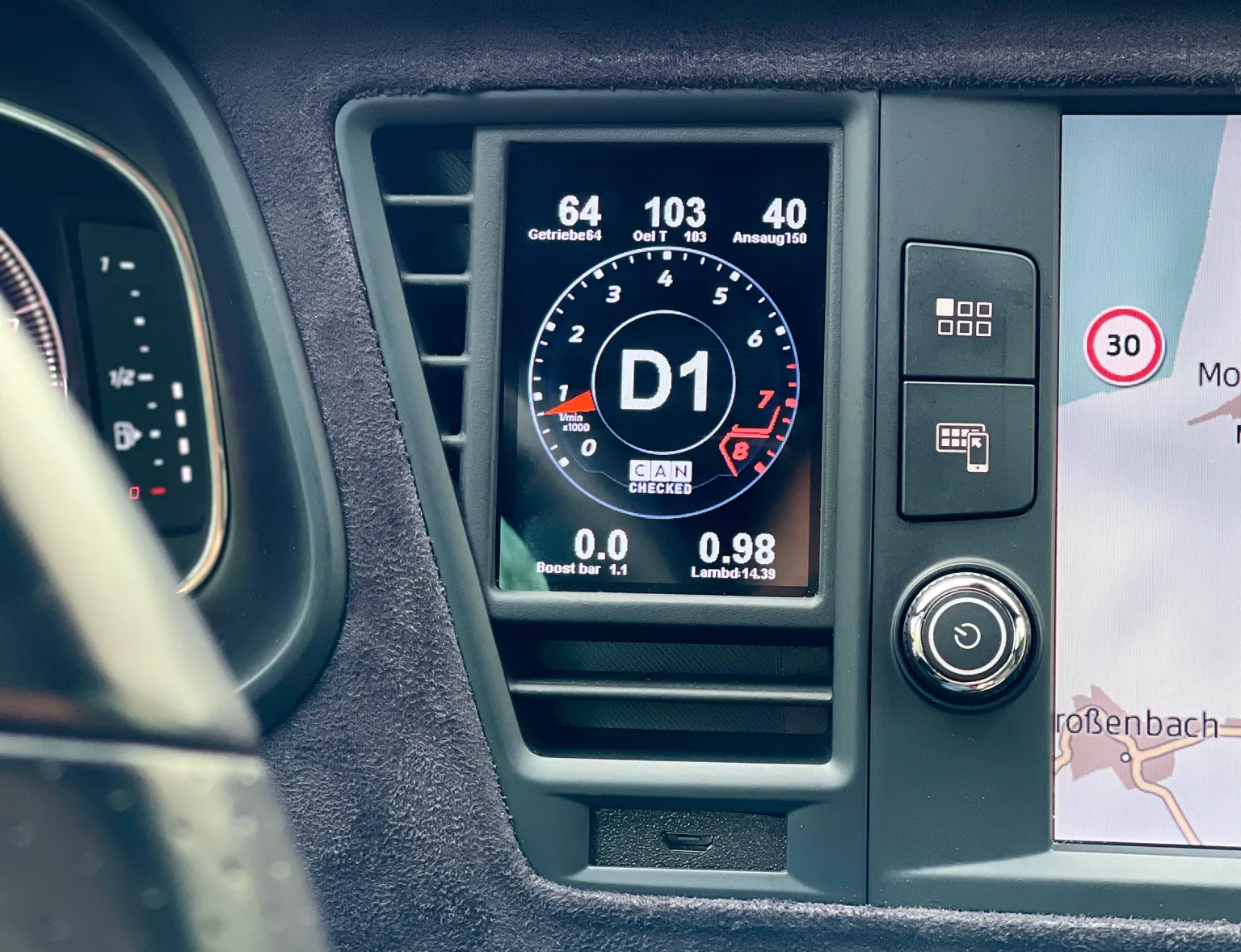
Your Leon/Formentor is missing a data display! Here we present the data display for the Cupra Formentor and Seat Leon or Cupra Leon.
Access to all data from the engine control unit:So ALL. The sensors are queried directly via CanBus and are displayed on our tried and tested MFD28. The Cupra Formentor display comes with a vehicle-specific panel and fits into the interior like an original part. The ventilation remains intact through the slots.
The sensors are queried by the CanBus via the manufacturer-specific protocol. We have optimized the protocol to achieve maximum polling speed.
Details:- integrates perfectly into the vehicle interior- Up to 64 sensors can be queried- 10 individually configurable views with our DSS - Display Setup Software- ready-made views for a quick start with our display- simply plug and play via our cable set - plug in, done- 4 additional analog inputs for exhaust gas temperature, oil pressure and more- Best readability - optional anti-reflective film included- Query the sensors like manufacturer diagnostic tools
Performance meter:Measure your acceleration times in our performance widget - 0-100, 100-200, 0-200
Data jogging:Log all data to the internal SD card. Whether “on-demand” (start with a tap) or permanent. All data from your last turn is saved.
Preset Alarms:Preset alerts can be easily activated and also customized. For example, receive a large warning message if the exhaust gas temperature is above 900 degrees.
4 additional analog inputs:Additional temperature and/or pressure sensors can be connected for further monitoring options. e.g. exhaust gas temperature or exhaust gas back pressure. An ethanol sensor can be connected to one of the digital inputs.
Read out/delete errors:Read out errors from the engine control unit in plain text and also delete them
Individual designWhether it's the individual start screen or the selection from a variety of different widgets. Make the display your display!
Access to all data from the engine control unit:We supply your display with a ready-made TRI file as standard. All sensors that are queried are defined here.
Temperatures:Engine water temperature, intake temperature, exhaust temperature, transmission temperature
Pressures:Boost pressure, ambient pressure, oil pressure
Lambda/mixture:Lambda value target/actual, short-term lambda adjustment, long-term lambda adjustment, MAF, engine load, torque
Driver dynamics:Brake pressure, vehicle speed, throttle angle/gas pedal position
Other:RPM, total ignition angle, gear, battery voltage, ignition angle reduction per cylinder
Analog inputs:Additional sensors can be added here: Oil temperature, fuel pressure, oil pressure, exhaust gas temperature, etc. but also an ethanol sensor (Flex Fuel)
If values are missing, they can easily be added.
ATTENTION: not every engine offers all values!
For which engines and models is the Cupra Formentor display:The display panel fits all Cupra Formentor and Seat Leon 4 left-hand drive vehicles (LHD). A version for RHD (right-hand drive) is in progress.
MFD28 Technical data:- Dimensions: 70.3 x 52mm - Hardware: 2.8” TFT screen, touchscreen, MicroSD, MicroUSB- High-quality milled aluminum front frame- Symmetrical display - ideal for rotating it by 90- Views completely freely configurable on the PC with our DSS - Display Setup Software- Up to 64 widgets per display- 64 sensors (Can Bus + internal)- 10 views- 4x analog inputs- Optional external switching flash- Can bus switching- Can Bus protocols: UDS, KWP2000, OBD
Supported values:Many KViele customers always ask: “Which values can I query from my control unit”. The answer: “ALL”. Our MFD28 is compatible with ISO 11898-2 and SAE J2284.The control unit manufacturers themselves determine which values are sent via the CAN bus interface. The documentation is important here - possibly even in the form of a DBC file that can be imported directly. You can also access our extensive list of already implemented control units. This can be found in the download area. A total of up to 50 sensors can be queried if the manufacturer supports this.Broadcast data as well as OBD2 queries via Can Bus (11bit/29bit) are implemented. Special protocols such as TP2.0 from VW/Audi and UDS are also available.
DSS - Display Setup Software:With our DSS - Display Setup Software, the display can be conveniently configured on the PC. The Can Bus protocol can be customized, you can import DBC files and design the displays with your own widgets.The log viewer downloads log files from the display. These can then be viewed and values can be individually selected and scaled.A built-in Can Bus logger makes it possible to take a close look at the log. This can be used to reverse-engineer unknown Can Buses.
Your vehicle is missing a data display! We have it - the CANchecked display for the F-series (F21, F22, F23, F30, F31, F32, F33, F80, F82, F83 and F87.
Access to all data from the engine:The sensors are queried directly via Can Bus and are displayed on our tried-and-tested MFD28. The display for the E-series comes with a vehicle-specific cover and fits into the interior like an original part. This means that the ventilation through the slots remains intact.
Our display emulates a manufacturer tester so that all detailed values are available. We have optimized the protocol to achieve maximum polling speed.
Details:- integrates perfectly into the vehicle interior- Up to 128 sensors can be queried- 10 individually configurable views with our DSS - Display Setup Software- ready-made views for a quick start with our display- simply plug and play via our cable set - plug in, done- 4 additional analog inputs for exhaust gas temperature, oil pressure and more- Best readability - optional anti-reflective film included- Query the sensors like manufacturer diagnostic tools
Performance meter:Measure your acceleration times in our performance widget - 0-100, 100-200, 0-200
Data jogging:Log all data to the internal SD card. Whether “on-demand” (start at the tap of a finger) or permanently. All data from your last turn is saved.
Preset alarms:Preset alerts can be easily activated and customized. For example, receive a large warning message if the exhaust gas temperature is above 900 degrees.
4 additional analog inputs:Additional temperature and/or pressure sensors can be connected for further monitoring options. e.g. exhaust gas temperature or exhaust gas back pressure. An ethanol sensor can be connected to one of the digital inputs.
Read out/delete errors:Read out errors from the engine control unit in plain text and also delete them
Individual designWhether it's the individual start screen or the selection from a variety of different widgets. Make the display your display!
Switch pages with the cruise control button:To make driving safer, we have integrated the cruise control switch here with the company Lightweight-Performance.
When cruise control is not active, you can use the up/down button to switch the views in the display. This has the following advantages:- No “searching” for the display while concentrating on the road ahead- Switching even when wearing gloves (on trackdays)- Quick and safe checking of overview pages and then returning to the main viewDriver Dynamics:We have developed a special view for all track drivers who want to further improve their driving style and become a second or two faster:- G-forces (lateral and longitudinal acceleration)- Vehicle speed- Steering angle- accelerator pedal position- Brake pressure
This sensor system gives the driver the opportunity to aim for even higher speeds in bends and to hit the braking point even later.
Together with the data log in the internal memory, which can be downloaded from the display after a track day, this offers a great opportunity to synchronize the data with a video.
Access to all data from the engine control unit:We supply your display with a ready-made TRI file as standard. All sensors that are queried are defined here.
Temperatures:Engine water temperature, oil temperature, intake temperature, exhaust temperature, transmission temperature
Pressures:Boost pressure, boost pressure target, fuel pressure high pressure pump, exhaust back pressure, low pressure, front brake pressure, rear brake pressure, oil pressure
Lambda/mixture:Lambda value target/actual, injection correction, long-term lambda adjustment, total ignition angle, ignition angle per cylinder
Other data:RPM, air mass (g/s), vehicle speed, throttle angle, battery voltage, gear, accelerator pedal position, longitudinal and lateral acceleration, steering angle, yaw angle, torque, power, boost pressure control valve activation
If values are missing, they can easily be added. It always depends on the engine whether it supports the values, sometimes not all sensors are available.
Attention: Not all values are available for all engines!
For which engines and models is the display for F-series:The display fits the following vehicles:- 1 Series: F20, F21- 2 Series: F22, F23- 3 Series: F30, F31- 4 Series: F32, F33- M models: F87, F80, F82, F83 (Convertible)
We currently support the following engines, unlisted engines can be added on request:- B48- B58- N13- N47- N55- N57- S55
The respective version for RHD (right-hand drive) is also available. The data may vary between the different engines.
Read out and delete errors:Swipe down to access the “DTC” (Diagnostic Trouble Codes = fault memory). The display reads the fault memory from the engine. Optionally, you can also delete these directly on the display.
Errors for the engine are displayed in plain text so that you can decide for yourself whether you can continue driving.
MFD28 Technical data:- Dimensions: 70.3 x 52mm - Hardware: 2.8” TFT screen, touchscreen, MicroSD, MicroUSB- High-quality milled aluminum front frame- Symmetrical display - ideal for rotating it by 90- Views completely freely configurable on the PC with our DSS - Display Setup Software- Up to 64 widgets per display- 64 sensors (Can Bus + internal)- 10 views- 4x analog inputs- Optional external switching flash- Can bus switching- Can Bus protocols: UDS, KWP2000, OBD
Supported values:Many customers always ask: “Which values can I query from my control unit”. The answer: “ALL”. Our MFD28 is compatible with ISO 11898-2 and SAE J2284.The control unit manufacturers themselves determine which values are sent via the CAN bus interface. The documentation is important here - possibly even in the form of a DBC file that can be imported directly. You can also access our extensive list of already implemented control units. This can be found in the download area. A total of up to 50 sensors can be queried if the manufacturer supports this.Broadcast data as well as OBD2 queries via Can Bus (11bit/29bit) are implemented. Special protocols such as TP2.0 from VW/Audi and UDS are also available.
DSS - Display Setup Software:With our DSS - Display Setup Software, the display can be conveniently configured on the PC. The Can Bus protocol can be customized, you can import DBC files and design the displays with your own widgets.The log viewer downloads log files from the display. These can then be viewed and values can be individually selected and scaled.A built-in Can Bus logger makes it possible to take a close look at the log. This can be used to reverse-engineer unknown Can Buses.
Your vehicle is missing a data display! We have it - the CANchecked display for E30 models.Access to all engine data:The sensors are queried directly via Can Bus and are displayed on our tried-and-tested MFD28. The display for the E-series comes with a vehicle-specific cover and fits into the interior like an original part. This means that the ventilation through the slots remains intact.
Our display emulates a manufacturer tester so that all detailed values are available. We have optimized the protocol to achieve maximum polling speed.
Details:- integrates perfectly into the vehicle interior- Up to 128 sensors can be queried- 10 individually configurable views with our DSS - Display Setup Software- ready-made views for a quick start with our display- simply plug and play via our cable set - plug in, done- 4 additional analog inputs for exhaust gas temperature, oil pressure and more- Best readability - optional anti-reflective film included- Query the sensors like manufacturer diagnostic tools
Performance meter:Measure your acceleration times in our performance widget - 0-100, 100-200, 0-200
Data jogging:Log all data to the internal SD card. Whether "on-demand" (start at the tap of a finger) or permanently. All data from your last turn is saved.
Preset alarms:Preset alarms can be easily activated and customized. For example, receive a large warning message if the exhaust gas temperature is above 900 degrees.
4 additional analog inputs:Additional temperature and/or pressure sensors can be connected for further monitoring options, e.g. exhaust gas temperature or exhaust gas back pressure. An ethanol sensor can be connected to one of the digital inputs.
Read out/delete errors:Read out errors from the engine control unit in plain text and also delete them
Individual designWhether it's the individual start screen or the selection from a variety of different widgets. Make the display your display!
Driver Dynamics:We have developed a special view for all track drivers who want to further improve their driving style and become a second or two faster:- G-forces (lateral and longitudinal acceleration)- Vehicle speed- Steering angle- accelerator pedal position- Brake pressure
This sensor system gives the driver the opportunity to aim for even higher speeds in bends and to hit the braking point even later.
Together with the data log in the internal memory, which can be downloaded from the display after a track day, this offers a great opportunity to synchronize the data with a video.
Access to all data from the engine control unit:We supply your display with a ready-made TRI file as standard. All sensors that are queried are defined here.
Temperatures:Engine water temperature, oil temperature, intake temperature, exhaust temperature, transmission temperature
Pressures:Boost pressure, boost pressure target, fuel pressure high pressure pump, exhaust back pressure, low pressure, brake pressure, oil pressure
Lambda/mixture:Lambda value target/actual, injection correction, short-term lambda adjustment, total ignition angle
Other:RPM, air mass (g/s), vehicle speed, throttle valve angle, battery voltage, gear, accelerator pedal position, longitudinal and lateral acceleration, steering angle, yaw angle, torque, power, boost pressure control valve activation
If values are missing, they can easily be added. It always depends on the engine whether it supports the values, sometimes not all sensors are available.
Attention: Not all values are available for all engines!
For which engines and models is the display for E30:The display panel fits the following 3 Series E models:- M20- S14- Other engines on request
The respective version for RHD (right-hand drive) is also available. The data may vary between the different engines.
Read out and delete errors:Swipe down to access the "DTC" (Diagnostic Trouble Codes = fault memory). The display reads the fault memory from the engine. Optionally, you can also delete these directly on the display.
Errors for the engine are displayed in plain text so that you can decide for yourself whether you can continue driving.
MFD28 Technical data:- Dimensions: 70.3 x 52mm - Hardware: 2.8" TFT screen, touchscreen, MicroSD, MicroUSB- High-quality milled aluminum front frame- Symmetrical display - ideal for rotating it by 90- Views completely freely configurable on the PC with our DSS - Display Setup Software- Up to 64 widgets per display- 64 sensors (Can Bus + internal)- 10 views- 4x analog inputs- Optional external switching flash- Can bus switching- Can Bus protocols: UDS, KWP2000, OBD
Supported values:Many customers always ask: "Which values can I query from my control unit? The answer: "ALL". Our MFD28 is compatible with ISO 11898-2 and SAE J2284.The control unit manufacturers themselves determine which values are sent via the CAN bus interface. The documentation is important here - possibly even in the form of a DBC file that can be imported directly. You can also access our extensive list of already implemented control units. This can be found in the download area. A total of up to 50 sensors can be queried if the manufacturer supports this.Broadcast data as well as OBD2 queries via Can Bus (11bit/29bit) are implemented. Special protocols such as TP2.0 from VW/Audi and UDS are also available.
DSS - Display Setup Software:With our DSS - Display Setup Software, the display can be conveniently configured on the PC. The Can Bus protocol can be customized, you can import DBC files and design the displays with your own widgets.The log viewer downloads log files from the display. These can then be viewed and values can be individually selected and scaled.A built-in Can Bus logger allows you to take a close look at the log. This can be used to reverse-engineer unknown Can Buses.
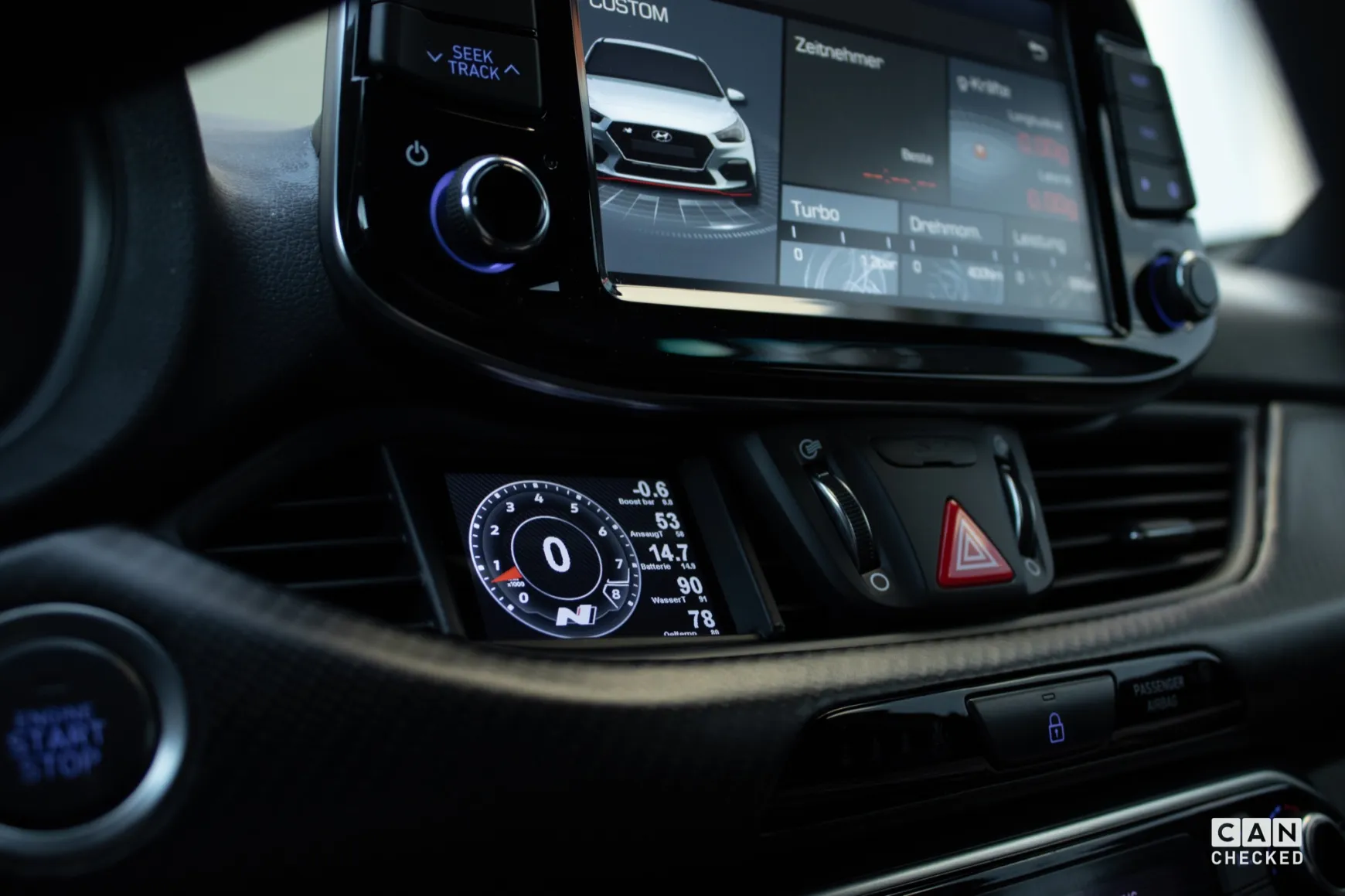
Your Hyundai i30/i30N is missing a data display! We have: The CANchecked MFD28 Gen.2 for the Hyundai i30/i30N (Model GD 2011-2017, Model PD from 2017).
Access to all data from the engine:The sensors are queried directly via Can Bus and are displayed on our proven MFD28. The display for the Hyundai i30/N comes with a vehicle-specific cover and fits into the interior like an original part. This means that the ventilation through the slots remains intact.
Our display emulates a manufacturer tester so that all detailed values are available. We have optimized the protocol to achieve maximum polling speed.
Details:- integrates perfectly into the vehicle interior- Up to 64 sensors can be queried- 10 individually configurable views with our DSS - Display Setup Software- ready-made views for a quick start with our display- simply plug and play via our cable set - plug in, done- 4 additional analog inputs for exhaust gas temperature, oil pressure and more- Best readability - optional anti-reflective film included- Query the sensors like manufacturer diagnostic tools
Performance Meter:Measure your acceleration times in our performance widget - 0-100, 100-200, 0-200
Data Jogging:Log all data to the internal SD card. Whether “on-demand” (start at the tap of a finger) or permanently. All data from your last turn is saved.
Preset alarms:Preset alerts can be easily activated and customized. For example, receive a large warning message if the exhaust gas temperature is above 900 degrees.
4 additional analog inputs:Additional temperature and/or pressure sensors can be connected for further monitoring options. e.g. exhaust gas temperature or exhaust gas back pressure. An ethanol sensor can be connected to one of the digital inputs.
Read out/delete errors:Read out errors from the engine control unit in plain text and also delete them
Individual designWhether it's the individual start screen or the selection from a variety of different widgets. Make the display your display!
Access to all data from the engine control unit:We supply your display with a ready-made TRI file as standard. All sensors that are queried are defined here.
Temperatures:Engine water temperature, oil temperature, intake temperature
Pressures:Boost pressure, ambient pressure, fuel pressure High-pressure pump
Lambda/mixture:Lambda value target/actual, injection time, short-term lambda adjustment, long-term lambda adjustment
Other:RPM, air mass (g/s), vehicle speed, throttle valve angle, total ignition angle, ignition angle per cylinder, terminal 30 voltage, gear
If values are missing, they can easily be added. It always depends on the engine whether it supports the values, sometimes not all sensors are available.
For which engines and models is the Hyundai i30 N display:The bezel of the display fits all Hyundai i30 (GD) and a bezel for the i30 Facelift (PD) is also available - the respective version for RHD (right-hand drive) is also available. The data may vary between the different engines.
If you have any questions, please contact us - please always tell us the exact vehicle type and engine.
Read out and delete errors:Swipe down to access the “DTC” (Diagnostic Trouble Codes = fault memory). The display reads the fault memory from the engine. Optionally, you can also delete these directly on the display.
Errors for the engine are displayed in plain text so that you can decide for yourself whether you can continue driving.
MFD28 Technical data:- Dimensions: 70.3 x 52mm - Hardware: 2.8” TFT screen, touchscreen, MicroSD, MicroUSB- High-quality milled aluminum front frame- Symmetrical display - ideal for rotating it by 90- Views completely freely configurable on the PC with our DSS - Display Setup Software- Up to 64 widgets per display- 64 sensors (Can Bus + internal)- 10 views- 4x analog inputs- Optional external switching flash- Can bus switching- Can Bus protocols: UDS, KWP2000, OBD
Supported values:Many customers always ask: “Which values can I query from my control unit”. The answer: “ALL”. Our MFD28 is compatible with ISO 11898-2 and SAE J2284.The control unit manufacturers themselves determine which values are sent via the CAN bus interface. The documentation is important here - possibly even in the form of a DBC file that can be imported directly. You can also access our extensive list of already implemented control units. This can be found in the download area. A total of up to 50 sensors can be queried if the manufacturer supports this.Broadcast data as well as OBD2 queries via Can Bus (11bit/29bit) are implemented. Special protocols such as TP2.0 from VW/Audi and UDS are also available.
DSS - Display Setup Software:With our DSS - Display Setup Software, the display can be conveniently configured on the PC. The Can Bus protocol can be customized, you can import DBC files and design the displays with your own widgets.The log viewer downloads log files from the display. These can then be viewed and values can be individually selected and scaled.A built-in Can Bus logger allows you to take a close look at the log. This can be used to reverse-engineer unknown Can Buses.
The CANchecked Gen.2 multifunction display for OBD2 and analog sensors.With OBD 2 cable and vehicle-specific holder for the Seat Leon / Cupra 5F air vents.
The second generation of CANchecked displays offers:- Improved graphics with better anti-aliasing- Swiping instead of tapping (gesture control)- The widgets are more precisely adjustable- New warning pop-up functions
Details:- Haldex control for GEN1 and GEN2 Haldex- 2.8-inch capacitive touch display with mounting frame- OBD 2 values can be displayed (adapter cable included)- 8GB SD memory card- Up to 10 freely configurable display pages- Connection via OBD2 car connector- Two digital and four analog inputs for 0 - 5V sensors (e.g. oil pressure, fuel pressure, exhaust gas temperature (with adapter) and boost pressure)- Integrated shift light- Performance meter (e.g. measures the time from 100-200 km/h)- Individual minimum and maximum warning values- Pop-up function when warning values are exceeded or undercut- Adjustable screen brightness
Views:- 10 pages freely configurable- Up to 17 widgets per page- 10 different widgets (digital number, bar, speed, single pointer, log, tableswitch, image (from SD card), number, circle display, Haldex)- Widgets can be moved and resized using drag'n'drop- Color customization possible depending on widgets
Performance Monitor:The high-speed CAN integration enables access to up to 128 vehicle sensors that can be displayed in real time. The 2.8" touchscreen makes it easy to swap sensors and set up custom ranges and alerts with the DSS software.
Diagnostics function:Swipe down from any page to instantly diagnose the fault memory. CANchecked can read, diagnose and clear codes for engine, ABS, transmission, ESP, TPMS and other systems.
Data Logging:Easily access the log on demand and save to the internal SD card.Four different logging types are available:1. USB: logs all sensor data live via USB2. SD card: all sensor data is logged to the SD card3. debug: all CAN bus data is logged via USB.4. sDbg: all CAN bus data is saved to the SD card (CAN bus logger)The logviewer is available online for evaluating the log. Simply load the log file and use the intuitive interface.
Plug & Play installation:CANchecked also offers displays with vehicle-specific installation frames in addition to the universal versions. These are precision-manufactured and fit perfectly into the interior of your vehicle without hindering the functionality of your vehicle's ventilation system.
Expandable functionality:4 analog and 2 digital inputs enable the monitoring of sensors and devices from other manufacturers. Future licenses under development will allow the integration of Haldex all-wheel drive controllers, water-methanol injection systems and ethanol fuel systems.
Customizable screen displays:CANchecked comes with six pre-installed dashboards. A total of ten display pages can be customized using the included software and library of widgets.
Data the way you want it!CANchecked can display up to ten pages and has access to up to 128 sensors of your vehicle (only for OBD 2 vehicles with optional CANchecked OBD 2 harness). Use the touchscreen to navigate between the individual pages and select which sensor you want to display. Need more customization options? You can personalize your views by customizing the graphics, sensors and widgets using the included DSS software. We have already uploaded some examples to your CANchecked display to help you get started.
Supported values:"ALL" -> The ECU manufacturers themselves determine which values are sent via the interface and document them accordingly. Up to 128 sensors can be queried with the display if the manufacturer supports this.
Scope of delivery:- CANchecked 2.8 inch display incl. vehicle-specific bracket / mounting frame for ventilation grille- Cable set- OBD 2 adapter cable- 8 GB micro SD card- Micro-SD card adapter- Quickstart Guide
The widgets can be set directly on the display.The temperature range of the display is -10°C to 70°C.A 12V power supply is required, optionally 5V or 24V are also possible.
MFD28 Technical data:- Dimensions: 70.3 x 52mm- Hardware: 2.8" TFT screen, touchscreen, MicroSD, MicroUSB- High-quality milled aluminum front frame- Symmetrical display - ideal for rotating it by 90- Views completely freely configurable on the PC with our DSS - Display Setup Software- Up to 64 widgets per display- 64 sensors (Can Bus + internal)- 10 views- 4x analog inputs- Optional external switching flash- Can bus switching- Can Bus protocols: UDS, KWP2000, OBD
Here we present our display for the Toyota GT86 (2012-) and Subaru BRZ (2012-2015).
Access to all data from the engine control unit. So ALL. The sensors are queried directly via Can Bus and are displayed on our proven MFD28. The Toyota GT86 / Subaru BRZ display comes with a vehicle-specific cover and fits into the interior like an original part. The ventilation remains intact through the slots.
The sensors are queried via OBD2 and directly from the Can Bus. We have optimized the protocol to achieve maximum polling speed.
Details:- integrates perfectly into the vehicle interior- Up to 128 sensors can be queried- 10 individually configurable views with our DSS - Display Setup Software- ready-made views for a quick start with our display- simply plug and play via our cable set - plug in, done- 4 additional analog inputs for exhaust gas temperature, oil pressure and more- Best readability - optional anti-reflective film included- Query the sensors like manufacturer diagnostic tools
Performance meter:Measure your acceleration times in our performance widget - 0-100, 100-200, 0-200
Data jogging:Log all data to the internal SD card. Whether "on-demand" (start with a tap) or permanently. All data from your last turn is saved.
Preset alarms:Preset alarms can be easily activated and customized. For example, receive a large warning message if the exhaust gas temperature is above 900 degrees.
4 additional analog inputs:Additional temperature and/or pressure sensors can be connected for further monitoring options, e.g. exhaust gas temperature or exhaust gas back pressure. An ethanol sensor can be connected to one of the digital inputs.
Read out/delete errors:Read out errors from the engine control unit in plain text and also delete them
Individual design:Whether it's the individual start screen or the selection from a variety of different widgets. Make the display your display!
Access to all data from the engine control unit:We supply your display with a ready-made TRI file as standard. All sensors that are queried are defined here.Temperatures:Engine water temperature, oil temperature, intake temperature, fuel temperature,
Pressures:Boost pressure, ambient pressure, fuel pressure
Lambda/mixture:Lambda value, short-term lambda adjustment, long-term lambda adjustment, MAF, engine load
Driver dynamics:rBem pressure, steering angle, vehicle speed, throttle angle
Other:RPM, fuel level, 4x wheel speed, vehicle speed, total ignition angle, gear
If values are missing, they can easily be added.
ATTENTION: not every engine offers all values!
For which engines and models is the Toyota GT86/ Subaru BRZ display:The display panel fits all Toyota GT86 and Subaru BRZ left-hand drive vehicles. A version for RHD (right-hand drive) is also available.
MFD28 Technical data:- Dimensions: 70.3 x 52mm - Hardware: 2.8" TFT screen, touchscreen, MicroSD, MicroUSB- High-quality milled aluminum front frame- Symmetrical display - ideal for rotating it by 90- Views completely freely configurable on the PC with our DSS - Display Setup Software- Up to 64 widgets per display- 64 sensors (Can Bus + internal)- 10 views- 4x analog inputs- Optional external switching flash- Can bus switching- Can Bus protocols: UDS, KWP2000, OBD
Supported values:Many KViele customers always ask: "Which values can I query from my control unit? The answer: "ALL". Our MFD28 is compatible with ISO 11898-2 and SAE J2284.The control unit manufacturers themselves determine which values are sent via the CAN bus interface. The documentation is important here - possibly even in the form of a DBC file that can be imported directly. You can also access our extensive list of already implemented control units. This can be found in the download area. A total of up to 50 sensors can be queried if the manufacturer supports this.Broadcast data as well as OBD2 queries via Can Bus (11bit/29bit) are implemented. Special protocols such as TP2.0 from VW/Audi and UDS are also available.
DSS - Display Setup Software:With our DSS - Display Setup Software, the display can be conveniently configured on the PC. The Can Bus protocol can be customized, you can import DBC files and design the displays with your own widgets.The log viewer downloads log files from the display. These can then be viewed and values can be individually selected and scaled.A built-in Can Bus logger allows you to take a close look at the log. This can be used to reverse-engineer unknown Can Buses.
Your Skoda Octavia is missing a data display! We have - the CANchecked MFD32 Gen.2 for the Skoda Octavia Mk3 (Type 5E 2012-2020).
Access to all data from the vehicle - i.e. ALL (also transmission, speedometer, etc). The sensors are queried directly via Can Bus and are displayed on our tried-and-tested MFD32. The Skoda Octavia MK3 display comes with a vehicle-specific cover and fits into the interior like an original part. This means that the ventilation remains intact through the slots.
Our display emulates a manufacturer tester so that all detailed values are available. We have optimised the protocol to achieve maximum query speed.
Details:- integrates perfectly into the vehicle interior- Up to 64 sensors can be interrogated- 10 individually configurable views with our DSS - Display Setup Software- ready-made views for a quick start with our display- simply plug and play via our cable set - plug in, done- 4 additional analogue inputs for exhaust gas temperature, oil pressure and more- Best readability - optional anti-reflective film included- Query the sensors like manufacturer diagnostic tools
Performance metre:Measure your acceleration times in our performance widget - 0-100, 100-200, 0-200
Data jogging:Log all data to the internal SD card. Whether "on-demand" (start with a tap) or permanently. All data from your last turn is saved.
Preset alarms:Preset alerts can be easily activated and customised. For example, receive a large warning message if the exhaust gas temperature is above 900 degrees.
4 additional analogue inputs:Additional temperature and/or pressure sensors can be connected for further monitoring options, e.g. exhaust gas temperature or exhaust gas back pressure. An ethanol sensor can be connected to one of the digital inputs.
Read out/delete errors:Read out errors from the engine control unit in plain text and also delete them
Customised design:Whether it's the customised start screen or the selection from a variety of different widgets. Make the display your display!
Access to all data from the engine control unit:We supply your display with a ready-made TRI file as standard. All sensors that are queried are defined here.
Temperatures:Exhaust temperature, engine water temperature, oil temperature, intake temperature, outside temperature, petrol temperature, gearbox temperature
Pressures:Boost pressure, ambient pressure, fuel pressure pre-feed pump target/actual, fuel pressure high-pressure pump target/actual
Lambda/mixture:Lambda value target/actual, injection time, short-term lambda adjustment, long-term lambda adjustment
Other:RPM, air mass (g/s), vehicle speed, throttle valve angle, total ignition angle, ignition angle reduction per cylinder, N75 acceleration in %, terminal 30 voltage, torque, gear
If values are missing, they can easily be added. It always depends on the engine whether it supports the values, sometimes not all sensors are available.
For which engines and models is the display:The display panel fits all Skoda Octavia MK3 left-hand drive vehicles. A version for RHD (right-hand drive) is also available.
If you have any questions, please contact us - please always tell us the engine code letter of your vehicle.
Read out and delete errors:Swipe down to access the "DTC" (Diagnostic Trouble Codes = fault memory). The display reads out the fault memory of the engine, transmission, ABS and, if available, the all-wheel drive system (Haldex). Optionally, you can also delete these directly on the display.
Errors for the engine are displayed in plain text so that you can decide for yourself whether you can continue driving.Skoda Octavia MK3 display
MFD32 Technical data:- Dimensions: 89 x 60mm - Hardware: 3.2" TFT screen, touchscreen, MicroSD, MicroUSB- Symmetrical display - ideal for rotating it 90°- Views can be freely configured directly on the display or with our DSS - Display Setup Software on the PC- Up to 64 widgets per display- 64 sensors (Can Bus + internal)- 10 views- 4x analogue inputs- 2x speed input- Optional external switching flash- Can bus switching
Supported values:Many customers always ask: "Which values can I query from my control unit? The answer: "ALL". Our MFD32 is compatible with ISO 11898-2 and SAE J2284.The control unit manufacturers themselves determine which values are sent via the CAN bus interface. The documentation is important here - possibly even in the form of a DBC file that can be imported directly. You can also access our extensive list of already implemented control units. This can be found in the download area. A total of up to 50 sensors can be queried if the manufacturer supports this.Broadcast data as well as OBD2 queries via Can Bus (11bit/29bit) are implemented. Special protocols such as TP2.0 from VW/Audi and UDS are also available.
DSS - Display Setup Software:With our DSS - Display Setup Software, the display can be conveniently configured on the PC. The Can Bus protocol can be customised, you can import DBC files and design the displays with your own widgets.The log viewer downloads log files from the display. These can then be viewed and values can be individually selected and scaled.An in-built Can Bus logger allows you to take a close look at the log. This can be used to reverse-engineer unknown Can Buses.
Here we present our display for the M models of the G series.
Access to all data from the engine control unit:So ALL. The sensors are queried directly via Can Bus and are displayed on our tried-and-tested MFD32. The display for the G-series comes with a vehicle-specific panel and fits into the interior like an original part.
The sensors are queried via the manufacturer-specific Can Bus protocol. We have optimised the protocol to achieve maximum polling speed.
Details:- Integrates perfectly into the vehicle interior- Up to 128 sensors can be interrogated- 10 individually configurable views with our DSS - Display Setup Software- ready-made views for a quick start with our display- simply plug and play via our cable set - plug in, done- 4 additional analogue inputs for exhaust gas temperature, oil pressure and more- Ethanol sensor connection directly to the display- Best readability - optional anti-reflective film included- Query the sensors like manufacturer diagnostic tools
Performance metre:Measure your acceleration times in our performance widget - 0-100, 100-200, 0-200
Data jogging:Log all data to the internal SD card. Whether "on-demand" (start with a tap) or permanently. All data from your last turn is saved.
Preset alarms:Preset alerts can be easily activated and customised. For example, receive a large warning message if the exhaust gas temperature is above 900 degrees.
4 additional analogue inputs:Additional temperature and/or pressure sensors can be connected for further monitoring options, e.g. exhaust gas temperature or exhaust gas back pressure. An ethanol sensor can be connected to one of the digital inputs.
Read out/delete errors:Read out errors from the engine control unit in plain text and also delete them
Customised designWhether it's the customised start screen or the selection from a variety of different widgets. Make the display your display!
Access to all data from the engine control unit:We supply your display with a ready-made TRI file as standard. All sensors that are queried are defined here.
Temperatures:Engine water temperature, intake temperature, exhaust temperature, transmission temperature
Pressures:Boost pressure, ambient pressure, oil pressure
Lambda/mixture:Lambda value target/actual, short-term lambda adjustment, long-term lambda adjustment, MAF, engine load, torque
Driver dynamics:Brake pressure, vehicle speed, throttle angle/gas pedal position
Other:Engine speed, total ignition angle, gear, battery voltage, ignition angle reduction per cylinder
Analogue inputs:Additional sensors can be added here: Oil temperature, petrol pressure, oil pressure, exhaust gas temperature, etc. but also an ethanol sensor (Flex Fuel)
If values are missing, they can easily be added.
ATTENTION: not every engine offers all values!
For which engines and models is the G-series display:The display bezel fits all G-series (G80/G81/G83/G87) left-hand drive (LHD) vehicles that have the ID7 display installed. The pre-assembled bezel does not fit vehicles with the ID8 monitor! A version for right-hand drive vehicles (RHD) is also available.
We currently support the following engines, unlisted engines can be added on request:- B48, B57, B58, M54, M57, N13, N20, N47, N52, N54, N55, N57, S55, S58, S63
MFD32 Technical data:- Dimensions: 89 x 60mm - Hardware: 3.2" TFT screen, touchscreen, MicroSD, MicroUSB- Symmetrical display - ideal for rotating it by 90- Views can be freely configured directly on the display or with our DSS - Display Setup Software on the PC- Up to 64 widgets per display- 64 sensors (Can Bus + internal)- 10 views- 4x analogue inputs- 2x speed input- Optional external switching flash- Can bus switching
Supported values:Many customers always ask: "Which values can I query from my control unit? The answer: "ALL". Our MFD32 is compatible with ISO 11898-2 and SAE J2284.The control unit manufacturers themselves determine which values are sent via the CAN bus interface. The documentation is important here - possibly even in the form of a DBC file that can be imported directly. You can also access our extensive list of already implemented control units. This can be found in the download area. A total of up to 50 sensors can be queried if the manufacturer supports this.Broadcast data as well as OBD2 queries via Can Bus (11bit/29bit) are implemented. Special protocols such as TP2.0 from VW/Audi and UDS are also available.
DSS - Display Setup Software:With our DSS - Display Setup Software, the display can be conveniently configured on the PC. The Can Bus protocol can be customised, you can import DBC files and design the displays with your own widgets.The log viewer downloads log files from the display. These can then be viewed and values can be individually selected and scaled.An in-built Can Bus logger allows you to take a close look at the log. This can be used to reverse-engineer unknown Can Buses.
Here we present our display for the Honda Civic FK8.
Access to all data from the engine control unit. So ALL. The sensors are queried directly via Can Bus and are displayed on our tried and tested MFD32. The Honda Civic FK8 display comes with a vehicle-specific cover and fits into the interior like an original part.
The sensors are queried via the manufacturer-specific Can Bus protocol. We have optimised the protocol to achieve maximum polling speed.
Details:- Integrates perfectly into the vehicle interior- Up to 128 sensors can be interrogated- 10 individually configurable views with our DSS - Display Setup Software- ready-made views for a quick start with our display- simply plug and play via our cable set - plug in, done- 4 additional analogue inputs for exhaust gas temperature, oil pressure and more- Best readability - optional anti-reflective film included- Query the sensors like manufacturer diagnostic tools
Performance metre:Measure your acceleration times in our performance widget - 0-100, 100-200, 0-200
Data jogging:Log all data to the internal SD card. Whether "on-demand" (start with a tap) or permanently. All data from your last turn is saved.
Preset alarms:Preset alerts can be easily activated and customised. For example, receive a large warning message if the exhaust gas temperature is above 900 degrees.
4 additional analogue inputs:Additional temperature and/or pressure sensors can be connected for further monitoring options. e.g. exhaust gas temperature or exhaust gas back pressure. An ethanol sensor can be connected to one of the digital inputs.
Read out/delete errors:Read out errors from the engine control unit in plain text and also delete them
Customised design:Whether it's the customised start screen or the selection from a variety of different widgets. Make the display your display!
Access to all data from the engine control unit:We supply your display with a ready-made TRI file as standard. All sensors that are queried are defined here.
Temperatures:
Engine water temperature, intake temperature, exhaust temperature, transmission temperature
Pressures:
Boost pressure, ambient pressure, oil pressure
Lambda/mixture:
Lambda value target/actual, short-term lambda adjustment, long-term lambda adjustment, MAF, engine load, torque
Driver dynamics:
Brake pressure, vehicle speed, throttle angle/gas pedal position
Other:
Engine speed, total ignition angle, gear, battery voltage, ignition angle reduction per cylinder
Analogue inputs:
Additional sensors can be added here: Oil temperature, petrol pressure, oil pressure, exhaust gas temperature, etc. but also an ethanol sensor (Flex Fuel)
If values are missing, they can easily be added.
ATTENTION: not every engine offers all values!
For which engines and models is the Honda FK8 display:
The display bezel fits all Honda Civic FK8 left-hand drive (LHD) vehicles. A version for RHD (right-hand drive) has also already been developed.
MFD32 Technical data:- Dimensions: 89 x 60mm - Hardware: 3.2" TFT screen, touchscreen, MicroSD, MicroUSB- Symmetrical display - ideal for rotating it by 90- Views can be freely configured directly on the display or with our DSS - Display Setup Software on the PC- Up to 64 widgets per display- 64 sensors (Can Bus + internal)- 10 views- 4x analogue inputs- 2x speed input- Optional external switching flash- Can bus switching
Supported values:Many customers always ask: "Which values can I query from my control unit? The answer: "ALL". Our MFD32 is compatible with ISO 11898-2 and SAE J2284.The control unit manufacturers themselves determine which values are sent via the CAN bus interface. The documentation is important here - possibly even in the form of a DBC file that can be imported directly. You can also access our extensive list of already implemented control units. This can be found in the download area. A total of up to 50 sensors can be queried if the manufacturer supports this.Broadcast data as well as OBD2 queries via Can Bus (11bit/29bit) are implemented. Special protocols such as TP2.0 from VW/Audi and UDS are also available.
DSS - Display Setup Software:With our DSS - Display Setup Software, the display can be conveniently configured on the PC. The Can Bus protocol can be customised, you can import DBC files and design the displays with your own widgets.The log viewer downloads log files from the display. These can then be viewed and values can be individually selected and scaled.A built-in Can Bus logger allows you to take a close look at the log. This can be used to reverse-engineer unknown Can Buses.
Here we present our display for the Subaru Impreza 2007-2011 including WRX STI.
Access to all data from the engine control unit. So ALL. The sensors are queried directly via Can Bus and are displayed on our tried and tested MFD32. The Subaru Impreza display comes with a vehicle-specific panel and fits into the interior like an original part. The ventilation remains intact through the slots.
The sensors are interrogated via OBD2 and directly from the Can Bus. We have optimised the protocol to achieve maximum polling speed.
Details:- Integrates perfectly into the vehicle interior- Up to 128 sensors can be interrogated- 10 individually configurable views with our DSS - Display Setup Software- ready-made views for a quick start with our display- simply plug and play via our cable set - plug in, done- 4 additional analogue inputs for exhaust gas temperature, oil pressure and more- Best readability - optional anti-reflective film included- Query the sensors like manufacturer diagnostic tools
Performance metre:Measure your acceleration times in our performance widget - 0-100, 100-200, 0-200
Data jogging:Log all data to the internal SD card. Whether "on-demand" (start with a tap) or permanently. All data from your last turn is saved.
Preset alarms:Preset alerts can be easily activated and customised. For example, receive a large warning message if the exhaust gas temperature is above 900 degrees.
4 additional analogue inputs:Additional temperature and/or pressure sensors can be connected for further monitoring options. e.g. exhaust gas temperature or exhaust gas back pressure. An ethanol sensor can be connected to one of the digital inputs.
Read out/delete errors:Read out errors from the engine control unit in plain text and also delete them
Customised design:Whether it's the customised start screen or the selection from a variety of different widgets. Make the display your display!
Access to all data from the engine control unit:We supply your display with a ready-made TRI file as standard. All sensors that are queried are defined here.
Temperatures:Engine water temperature, intake temperature, outside temperature, petrol temperature, catalytic converter temperature
Pressures:Boost pressure, ambient pressure
Lambda/mixture:Lambda value target/actual, short-term lambda adjustment, long-term lambda adjustment, MAF, engine load, torque
Driver dynamics:Bemse in per cent, steering angle, vehicle speed, throttle angle/gas pedal position, longitudinal and lateral acceleration, yaw acceleration
Other data:RPM, fuel level, 4x wheel speed, vehicle speed, total ignition angle, gear, battery voltage, MapSelect, DCCD, low beam, high beam, engine control light, handbrake, brake light switch, ESP
Analogue inputs:Additional sensors can be added here: Oil temperature, petrol pressure, oil pressure, exhaust gas temperature, etc
If values are missing, they can easily be added.
ATTENTION: not every engine offers all values!
For which engines and models is the Subaru Impreza 2007-2011 display:The display bezel fits all Subaru Impreza 2007-2011 incl. WRX STI left-hand drive vehicles. A version for RHD (right-hand drive) is also available.
MFD32 Technical data:- Dimensions: 89 x 60mm - Hardware: 3.2" TFT screen, touchscreen, MicroSD, MicroUSB- Symmetrical display - ideal for rotating it by 90- Views can be freely configured directly on the display or with our DSS - Display Setup Software on the PC- Up to 64 widgets per display- 64 sensors (Can Bus + internal)- 10 views- 4x analogue inputs- 2x speed input- Optional external switching flash- Can bus switching
Supported values:Many customers always ask: "Which values can I query from my control unit? The answer: "ALL". Our MFD32 is compatible with ISO 11898-2 and SAE J2284.The control unit manufacturers themselves determine which values are sent via the CAN bus interface. The documentation is important here - possibly even in the form of a DBC file that can be imported directly. You can also access our extensive list of already implemented control units. This can be found in the download area. A total of up to 50 sensors can be queried if the manufacturer supports this.Broadcast data as well as OBD2 queries via Can Bus (11bit/29bit) are implemented. Special protocols such as TP2.0 from VW/Audi and UDS are also available.
DSS - Display Setup Software:With our DSS - Display Setup Software, the display can be conveniently configured on the PC. The Can Bus protocol can be customised, you can import DBC files and design the displays with your own widgets.The log viewer downloads log files from the display. These can then be viewed and values can be individually selected and scaled.An in-built Can Bus logger allows you to take a close look at the log. This can be used to reverse-engineer unknown Can Buses.
It's been a long time in the making - here it is at last: the CANchecked display for the Toyota Supra MK5 (A90/A91)
Access to all data from the engine control unit:So ALL. The sensors are queried directly via Can Bus and are displayed on our tried and tested MFD32. Thanks to the flexible software, we have rotated the view by 90°, allowing us to find the perfect position. The Supra MK5 display comes with a vehicle-specific panel and fits into the interior like an original part.
The sensors are queried by the Can Bus via the manufacturer-specific protocol. We have optimized the protocol to achieve maximum polling speed.
Details:- integrates perfectly into the vehicle interior- Up to 64 sensors can be queried- 10 individually configurable views with our DSS - Display Setup Software- ready-made views for a quick start with our display- simply plug and play via our cable set - plug in, done- 4 additional analog inputs for exhaust gas temperature, oil pressure and more- Best readability - optional anti-reflective film included- Query the sensors like manufacturer diagnostic tools
Performance meter:Measure your acceleration times in our performance widget - 0-100, 100-200, 0-200
Data jogging:Log all data to the internal SD card. Whether "on-demand" (start with a tap) or permanent. All data from your last turn is saved.
Preset alarms:Preset alarms can be easily activated and customized. For example, receive a large warning message if the exhaust gas temperature is above 900 degrees.
4 additional analog inputs:Additional temperature and/or pressure sensors can be connected for further monitoring options, e.g. exhaust gas temperature or exhaust gas back pressure. An ethanol sensor can be connected to one of the digital inputs.
Read out/delete errors:Read out errors from the engine control unit in plain text and also delete them
Individual designWhether it's the individual start screen or the selection from a variety of different widgets. Make the display your display!
Access to all data from the engine control unit:We supply your display with a ready-made TRI file as standard. All sensors that are queried are defined here.
Temperatures:Engine water temperature, intake temperature, exhaust temperature, transmission temperature, oil temperature
Pressures:Boost pressure, ambient pressure, oil pressure, fuel feed pressure, exhaust pressure, rail pressure
Lambda/mixture:Lambda value target/actual, MAF (air mass), torque, power, injection correction
Driver dynamics:Front and rear brake pressure, vehicle speed, throttle valve angle/gas pedal position, steering angle, accelerator pedal, longitudinal and lateral acceleration
Other:speed, total ignition angle, ignition angle per cylinder, gear, battery voltage, boost pressure control valve actuation
Analog inputs:Additional sensors can be added here: Oil temperature, fuel pressure, oil pressure, exhaust gas temperature, etc. but also an ethanol sensor (Flex Fuel)
If values are missing, they can easily be added.
ATTENTION: not every engine offers all values!
For which engines and models is the Supra MK5 display:The display panel fits all Toyota Supra MK5 left-hand drive vehicles (LHD). A version for RHD (right-hand drive) is also available. The data supports both the B58 (6 cylinder) and the B48 (4 cylinder).
MFD32 Technical data:- Dimensions: 89 x 60mm - Hardware: 3.2" TFT screen, touchscreen, MicroSD, MicroUSB- Symmetrical display - ideal for rotating it by 90- Views can be freely configured directly on the display or with our DSS - Display Setup Software on the PC- Up to 64 widgets per display- 64 sensors (Can Bus + internal)- 10 views- 4x analog inputs- 2x speed input- Optional external switching flash- Can bus switching
Supported values:Many customers always ask: "Which values can I query from my control unit? The answer: "ALL". Our MFD32 is compatible with ISO 11898-2 and SAE J2284.The control unit manufacturers themselves determine which values are sent via the CAN bus interface. The documentation is important here - possibly even in the form of a DBC file that can be imported directly. You can also access our extensive list of already implemented control units. This can be found in the download area. A total of up to 50 sensors can be queried if the manufacturer supports this.Broadcast data as well as OBD2 queries via Can Bus (11bit/29bit) are implemented. Special protocols such as TP2.0 from VW/Audi and UDS are also available.
DSS - Display Setup Software:With our DSS - Display Setup Software, the display can be conveniently configured on the PC. The Can Bus protocol can be customized, you can import DBC files and design the displays with your own widgets.The log viewer downloads log files from the display. These can then be viewed and values can be individually selected and scaled.A built-in Can Bus logger allows you to take a close look at the log. This can be used to reverse-engineer unknown Can Buses.
Here we present our new Toyota GR Yaris display. Together with some initial testers, we have developed the GR Yaris display very closely to the OEM functionality - again, perfect integration and the air vent is still functional thanks to an intelligent design.
The most important engine and vehicle data at a glance:- Engine speed- Water temperature- Oil temperature and oil pressure- Transmission temperature- Intake air temperature- Engine speed- Gear (calculated from speed and engine speed)- Lambda value / AFR- Boost pressure ACTUAL and TARGET- Ignition angle- Clutch temperature of the rear differential- 4x tire pressure- 4x tire temperature
Details:- 3.2 inch capacitive touch display with mounting frame- OBD 2 values can be displayed (adapter cable included)- 8GB SD memory card- Up to 10 freely configurable display pages- Connection via OBD2 car connector- Two digital and four analog inputs for 0 - 5V sensors (e.g. oil pressure, fuel pressure, exhaust gas temperature (with adapter) and boost pressure)- Integrated shift light- Performance meter (e.g. measures the time from 100-200 km/h)- Individual minimum and maximum warning values- Pop-up function when warning values are exceeded or undercut- Adjustable screen brightness
Surface:- 10 pages of free configuration- Up to 17 widgets per page- 10 different widgets (digital number, bar, speed, single pointer, log, tableswitch, image (from SD card), number, circle display, Haldex)- Widgets can be moved and resized via drag'n'drop- Color customization is possible depending on the widgets
What ECU data can CANchecked read out?We deliver a ready-made TRI file with the display as standard. All sensors that are queried are defined here, e.g:Temperatures: Exhaust gas temperature, engine water temperature, oil temperature, intake temperature, outside temperature, fuel temperature, DSG oil temperaturePressures: Boost pressure, ambient pressure, fuel pressure, pre-feed pump pressureLambda / mixture: Lambda value, injection timing, short-term lambda control, long-term lambda controlMiscellaneous: RPM, air mass (g/s), vehicle speed, throttle valve angle, total ignition angle, ignition angle reduction per cylinder, N75 pulse rate in%, voltage at terminal 30, oil level, torque, gearbox...If values are missing, they can easily be added.
Motec/Syvecs configuration:Two possibilities:1) Order your display suitable for Motec/Syvecs2) Change the firmware of your display to "Standard" instead of "OBD": MFD28/MFD32 software update
The appropriate TRI file should already be present on the SD card. You can find it here:1) Swipe down on the display and go to "Setup"2) "Can Bus"3) "TRI/TRX File"Select the appropriate file (-M = metric units, -I = imperial units, -G = German sensor names and metric)Then configure the control unit to send the standard stream.
Scope of delivery:- Vehicle-specific bracket / mounting frame for ventilation grille- CANchecked 3.2 inch display- Cable set- OBD 2 adapter cable- 8 GB Micro-SD card- Micro-SD card adapter- Quickstart Guide
MFD32 Technical data:- Dimensions: 89 x 60mm - Hardware: 3.2" TFT screen, touchscreen, MicroSD, MicroUSB- Symmetrical display - ideal for rotating it by 90- Views can be freely configured directly on the display or with our DSS - Display Setup Software on the PC- Up to 64 widgets per display- 64 sensors (Can Bus + internal)- 10 views- 4x analog inputs- 2x speed input- Optional external switching flash- Can bus switching
Supported values:Many customers always ask: "Which values can I query from my control unit? The answer: "ALL". Our MFD32 is compatible with ISO 11898-2 and SAE J2284.The control unit manufacturers themselves determine which values are sent via the CAN bus interface. The documentation is important here - possibly even in the form of a DBC file that can be imported directly. You can also access our extensive list of already implemented control units. This can be found in the download area. A total of up to 50 sensors can be queried if the manufacturer supports this.Broadcast data as well as OBD2 queries via Can Bus (11bit/29bit) are implemented. Special protocols such as TP2.0 from VW/Audi and UDS are also available.
DSS - Display Setup Software:With our DSS - Display Setup Software, the display can be conveniently configured on the PC. The Can Bus protocol can be customized, you can import DBC files and design the displays with your own widgets.The log viewer downloads log files from the display. These can then be viewed and values can be individually selected and scaled.A built-in Can Bus logger allows you to take a close look at the log. This can be used to reverse-engineer unknown Can Buses.